4 Bootstrap Offcanvas Examples
This collection leverages the Bootstrap Offcanvas component to build space-saving sidebars, mobile menus, and functional panels like shopping carts. It actively utilizes positioning classes and responsive variations, allowing the interface to seamlessly adapt across devices. Declarative data-bs-* attributes manage visibility state and backdrop behavior, eliminating the need for custom scripts. These patterns provide a robust, accessible foundation for modern responsive interfaces and e-commerce projects.
Examples

Bootstrap 5 Offcanvas and Modal Window Examples
mprehensive Bootstrap 5 demo showcasing various offcanvas placements (start, end, top) and modal.
See the Pen Bootstrap 5 Offcanvas and Modal Window Examples.

Bootstrap 5 Offcanvas Menu 4
A sophisticated Bootstrap 5 Offcanvas implementation acting as a comprehensive contact hub. It features a custom width configuration via CSS variables, animated social buttons with radial hover fills, and a clean layout for company details using Bootstrap icons and typography.
See the Pen Bootstrap 5 Offcanvas Menu 4.
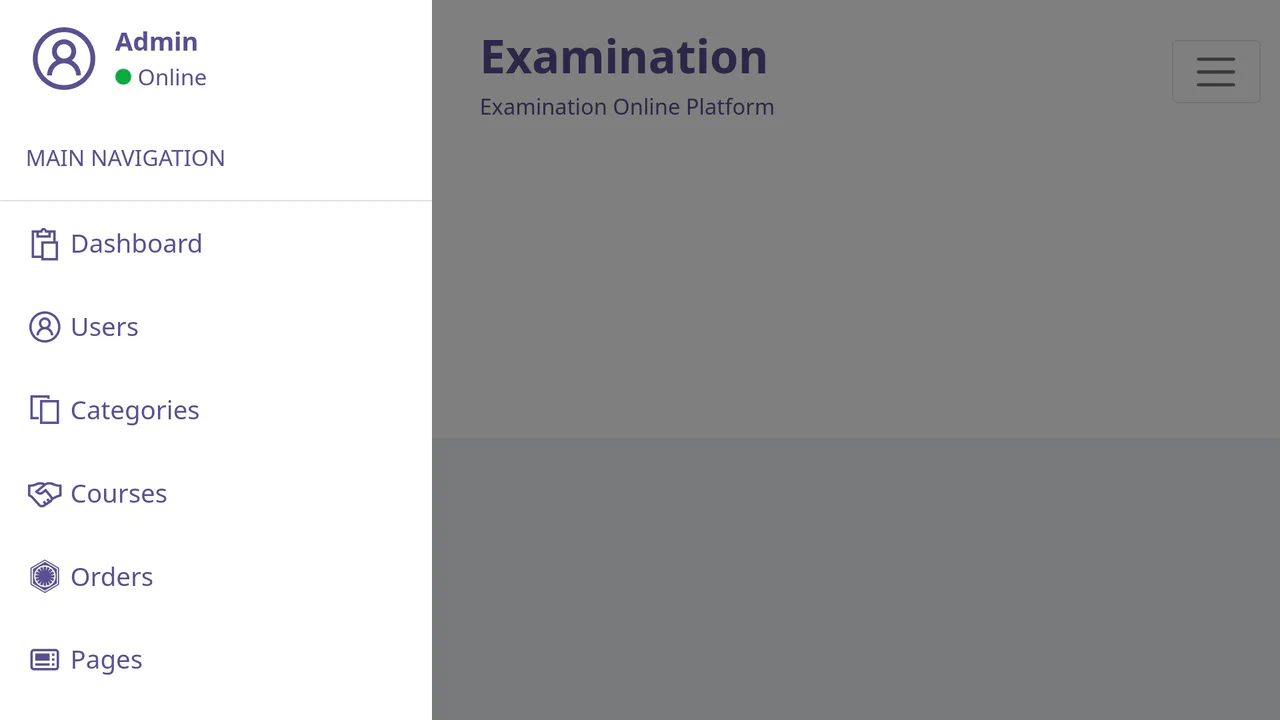
Bootstrap 5 Offcanvas Sidebar Navigation: Variant 2
A responsive admin dashboard layout utilizing Bootstrap 5 Offcanvas for a dual-state sidebar: collapsible on mobile and permanent on desktop.
See the Pen Bootstrap 5 Offcanvas Sidebar Navigation: Variant 2.

Bootstrap 5 Side Navigation Bar
A responsive sidebar navigation built with Bootstrap 5, featuring a smooth toggle animation powered by CSS transitions on margin-left. JavaScript handles the .active-nav class switching, sliding the fixed position menu into view while simultaneously shifting the main content container.
See the Pen Bootstrap 5 Side Navigation Bar.