Gooey Liquid Radio Buttons
See the Pen Gooey Liquid Radio Buttons.
Tech & Dependencies
Features
- ✓ Gooey Filter
- ✓ Custom Inputs
- ✓ State Morphing
Browser Support
Core
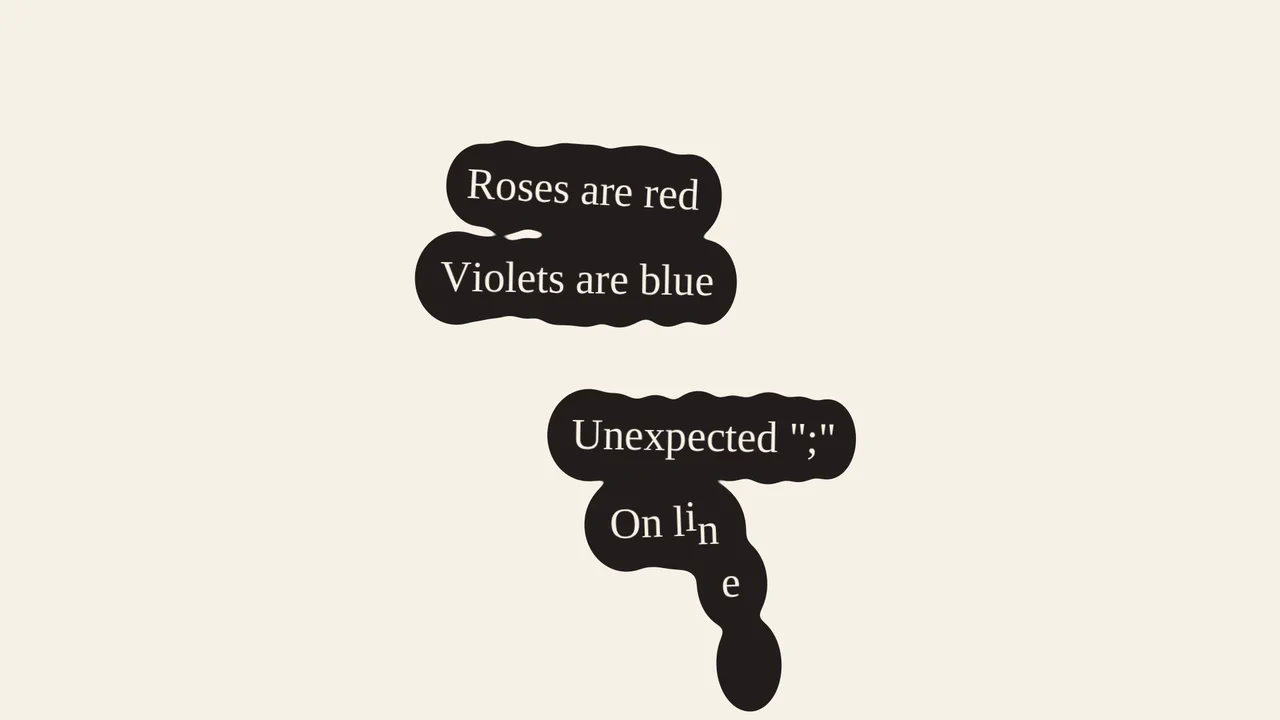
This is a Gooey Liquid Radio Button group. It overrides the default OS radio inputs with a custom SVG-filtered visual state. Its function is to provide highly tactile, liquid-like feedback when a user selects between mutually exclusive options, making data entry feel physical and alive.
Specs
- Weight: ~2 KB. Zero dependencies.
- Performance: Hardware-accelerated CSS transforms handle the motion, while the SVG filter computes the viscous bleeding effect. The
<feColorMatrix>operation is GPU-friendly but may cause minor repaints on low-end devices during the transition. - Theming / Customization: Regulated by standard CSS colors (
border-color,background) and transform coordinates. - Responsiveness: Static translations. The ball movement relies on fixed pixel steps (
translateY(80px)). Fluid layouts require recalculating these classes or switching to relative units (em,rem,%). - Graceful Degradation: [!] Without JavaScript, the indicator ball remains static. If SVG filters are unsupported, the ball transitions smoothly but without the organic merging effect. Native focus outlines are removed (
outline: 0) without custom replacements, completely breaking keyboard accessibility.
Anatomy
- HTML: An invisible
<svg>holding thefeColorMatrixfilter definition. The form structure consists of a.radioscontainer holding native<input type="radio">tags alongside a.ballindicator, paired with a separate.labelscontainer. - CSS: Strips native OS styling using
appearance: none. Appliesfilter: url('#gooeyness')to the parent container to fuse the child elements visually. Modulates the.ball’s vertical translation. - JS: A state manager. It tracks the previously clicked radio and label, toggling
.activeclasses for color changes, and updates the.ball’s position class (e.g.,.pos0,.pos1) based on the clicked index.
Logic
The mechanical brilliance of this snippet is outsourcing the physics simulation entirely to a native SVG filter.
<filter id="gooeyness">
  <feGaussianBlur in="SourceGraphic" stdDeviation="8" result="blur" />
  <feColorMatrix in="blur" mode="matrix" values="1 0 0 0 0  0 1 0 0 0  0 0 1 0 0  0 0 0 20 -10" result="gooey" />
  <feComposite in="SourceGraphic" in2="gooey" operator="atop" />
</filter>
JavaScript merely shifts the .ball element up and down via a standard CSS translateY transition. The “liquid” magic happens at the rendering level: feGaussianBlur mathematically blurs the solid ball and the hollow radio buttons together as they pass each other. Immediately, feColorMatrix forces the alpha channel contrast to sharpen. Where the blurred edges intersect, the matrix snaps them into a solid geometric bridge, creating flawless surface tension without complex JS canvas physics.
Feel
Viscous and satisfying. The indicator does not merely slide; it oozes between states. It mimics mercury or heavy ink separating and merging. The stark contrast between the rigid, monospaced typography and the organic, melting input mechanism creates a highly engineered, sensory-rich interaction.