SVG Filter Noise Mask & Squircle Layout
See the Pen SVG Filter Noise Mask & Squircle Layout.
Tech & Dependencies
Features
- ✓ SVG Filter Architecture
- ✓ Fractal Noise Generation
- ✓ Displacement Mapping
- ✓ Squircle Shape
Browser Support
Core
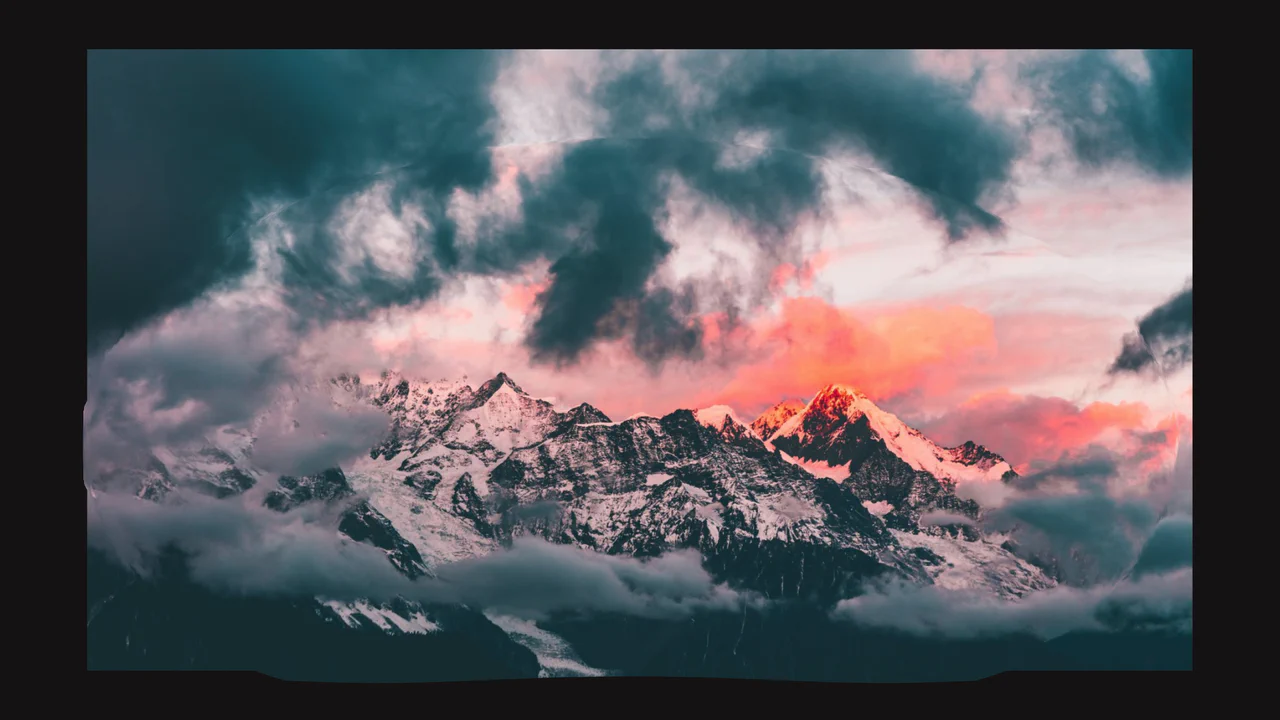
This is an SVG Filter Noise Mask & Squircle Layout. It demonstrates the profound visual impact of chaining SVG <filter> primitives onto standard HTML elements. Its function is to transform a pristine photograph and a flat background into a gritty, atmospheric, cyberpunk-style composition using native browser rendering math instead of pre-processed images in Photoshop.
Specs
- Weight: < 1 KB. No external libraries or scripts.
- Performance: Moderate. SVG filters (especially
feTurbulenceandfeGaussianBlur) can be demanding on the GPU/CPU if applied to very large areas or animated constantly. - Theming / Customization: The intensity of the noise (
baseFrequency), the offset of the shadow (dx,dy), and the distortion amount (scaleinfeDisplacementMap) can be tuned directly within the SVG block. - Responsiveness: Fluid. Uses
width: min(100%, 1024px)andaspect-ratioto maintain structural integrity across viewports. - Graceful Degradation: [!] Relies on the highly experimental CSS
corner-shape: squircleproperty. In most current browsers, it will fall back to a standard rounded rectangle (border-radius: 8em). The SVG filters, however, are widely supported and will render correctly.
Anatomy
The component fuses a simple CSS Grid structure with a complex invisible SVG pipeline.
- HTML (The Skeleton): Written in Pug. A hidden
<svg>element containing the<filter>definitions is fixed to the viewport. The visible structure is a single<header>element. - CSS (The Skin): Employs CSS Grid to stack pseudo-elements (
::before,::after) within the<header>. Thefilter: url(#...)property connects the DOM nodes to the SVG processing pipeline. - JS (The Nervous System): None.
Logic
The standout technical feature is the Compound Shadow Distortion Pipeline.
<filter id="si">
  <feTurbulence type="fractalNoise" baseFrequency="7.13" result="map" />
  <feGaussianBlur stdDeviation="13" />
  <feOffset dx="6" dy="12" />
  <feDisplacementMap in2="map" scale="16" yChannelSelector="R" />
  <feComposite in="SourceAlpha" operator="out" />
  <feBlend in2="SourceGraphic" mode="multiply" result="glitch" />
  <!-- ... alpha manipulation ... -->
</filter>
Instead of a smooth, uniform box-shadow, the developer crafts a “glitched” shadow. The pipeline first creates a dense noise map (feTurbulence). It then takes the alpha channel of the image, blurs it, and shifts it (feOffset). Crucially, it passes this shifted shadow through feDisplacementMap, using the noise map to distort the shadow’s pixels along the Y-axis. Finally, feComposite ensures the shadow doesn’t draw over the original image, and feBlend composites the distorted shadow behind the photograph, resulting in a gritty, bleeding edge.
Feel
Gritty and raw. The high-frequency fractal noise adds a palpable, sandpaper-like texture to the otherwise flat blue background. The shadow isn’t just dark; it looks like ink bleeding or pixels glitching out from behind the central image. The use of the squircle shape gives the central frame an organic, futuristic tension that standard rounded corners lack.