40+ CSS Glow Effects: Free Examples & Code Snippets
CSS glow effects inject vibrant luminescence and depth into digital designs, mimicking physical light sources to highlight interactive components and establish rich spatial hierarchies. By casting soft, dynamic radial light, this technique transforms flat panels into tactile, modern interfaces.
- Standard card-level luminescence relies on multi-layered box-shadow declarations, stacking varying blur radii to construct a realistic volumetric light decay.
- Complex shapes and raw image assets utilize the filter: drop-shadow() function, which dynamically traces the alpha channel of an element rather than its bounding box.
- To avoid rendering lag and protect your INP (Interaction to Next Paint) score, continuous glow animations are offloaded to GPU-promoted layers via transform scales.
Experiment with these radiant lighting techniques to craft atmospheric, highly tactile designs that react intuitively to user cursor actions.
Table of Contents:
Examples
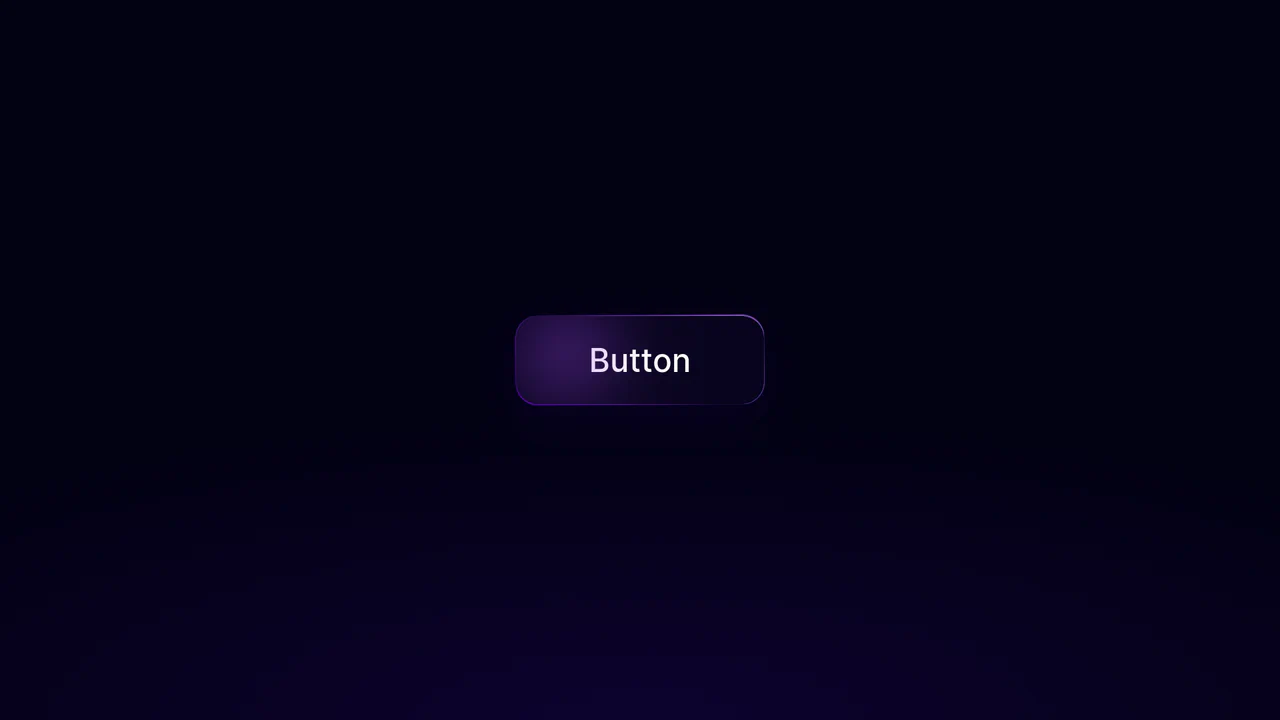
Neon Glow Border Button
This dark-themed button component combines a continuously rotating neon gradient border with a dynamic, cursor-tracking inner glow. The border effect is achieved by spinning an oversized linear-gradient pseudo-element behind a masked background. JavaScript tracks the pointer’s coordinates, using GSAP to smoothly move a blurred radial highlight inside the button while chroma.js interpolates its color based on the cursor’s horizontal position. (Requires: gsap.js, chroma.js)
 Chrome 49+
 Edge 12+
 Firefox 49+
 Safari 9.1+
See the Pen Neon Glow Border Button.
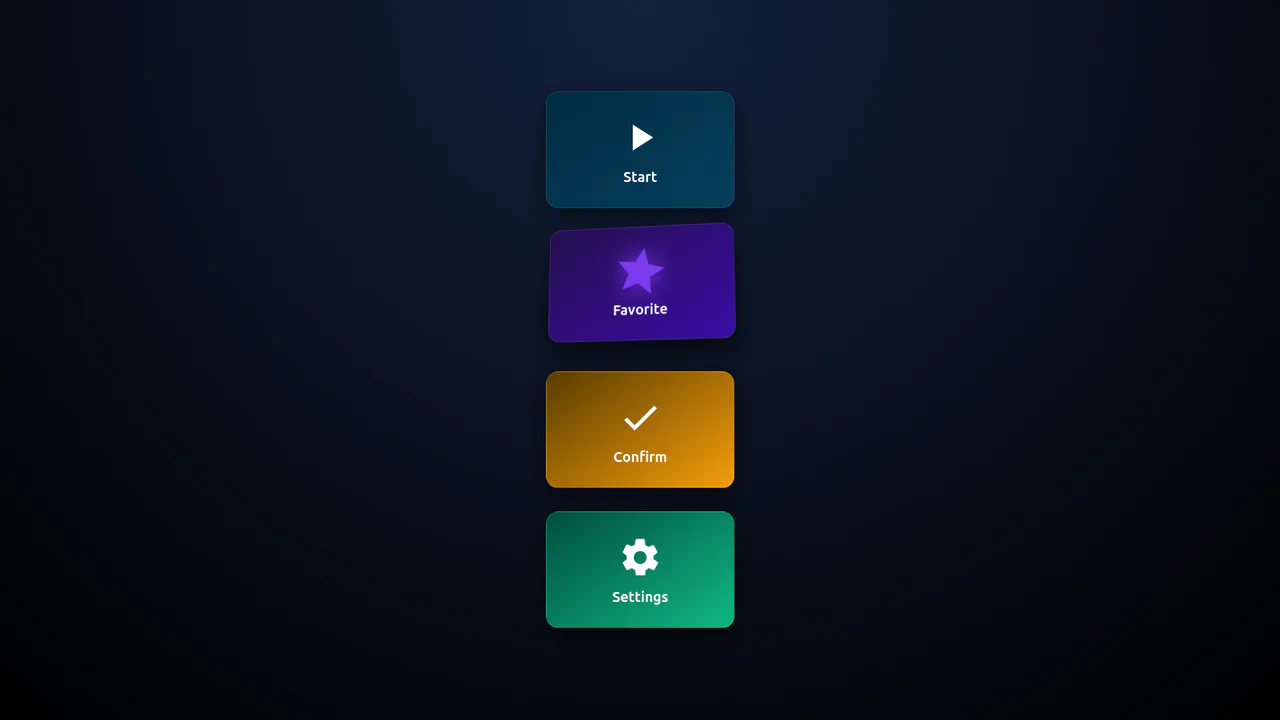
3D Isometric Neon Glow Buttons
An interactive set of 3D-perspective dashboard buttons styled with vibrant neon glowing highlights. Hovering over a card rotates its panel dynamically along the X and Y axes using native CSS preserve-3d and perspective properties, while styling the SVG icon with custom scaling and color-matched drop-shadow filters. Clicking triggers a quick, synchronized scale-pulse animation.
Chrome 57+
Edge 16+
Firefox 52+
Safari 10.1+
See the Pen 3D Isometric Neon Glow Buttons.

3D Star Wars Lightsaber Theme Toggle
3D Star Wars Lightsaber Theme Toggle relies on trigonometric CSS functions sin() and cos() to rotate vector elements along a 3D spherical path as the toggle slides. Custom numeric transitions are facilitated by redefining modern @property rules inside a @layer properties block, animating the --progress variable dynamically across state-driven keyframes. While providing a deeply thematic visual experience, performing continuous trigonometric transformations and animating complex CSS masks can trigger layout rasterization strain on standard devices, requiring GPU acceleration layers to preserve smooth 3D motion.
Chrome 111+
Edge 111+
Firefox 128+
Safari 16.4+
See the Pen 3D Star Wars Lightsaber Theme Toggle.
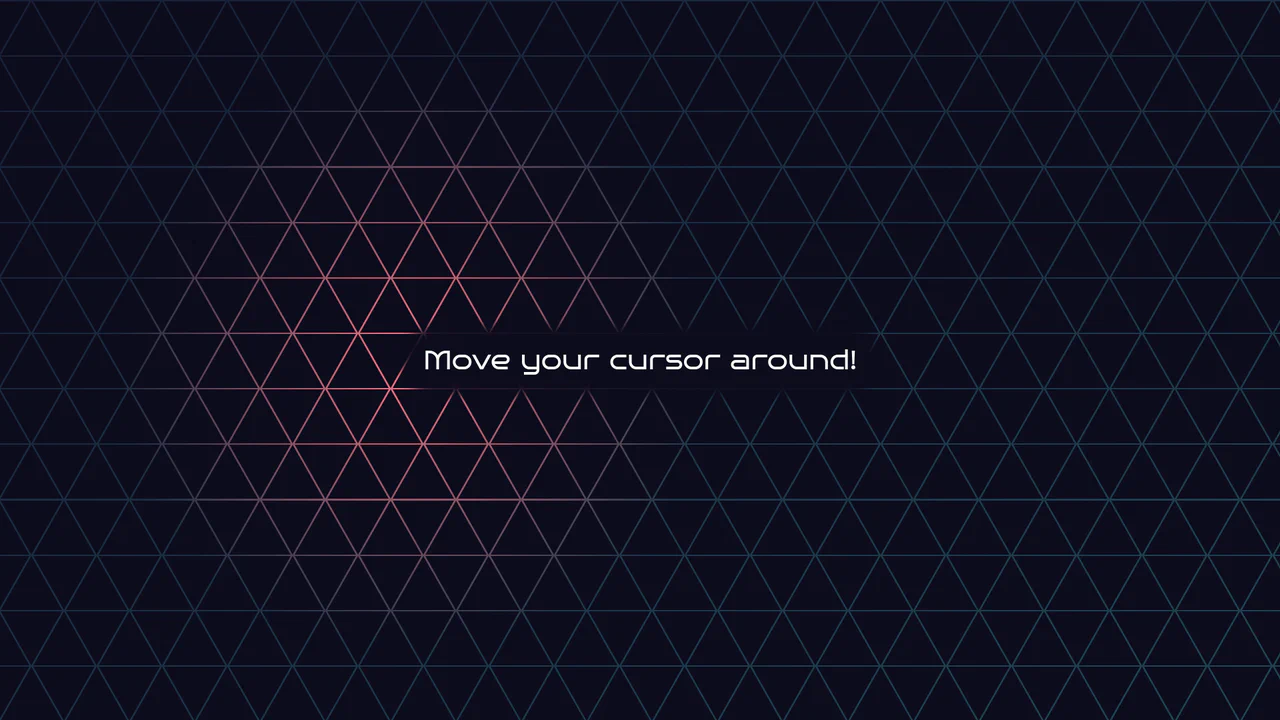
Geometric Glowing Triangle Mask Grid
Geometric Glowing Triangle Mask Grid creates an interactive mesh overlay by dynamically calculating and appending CSS border triangles to mask a neon background. The layout binds a mouse-tracking #glow radial gradient to the cursor, while modern CSS @property interpolates color shifts directly in keyframe animations. However, running heavy JS-based DOM recalculations on window.onresize combined with moving massive layout-disrupting absolute positions like top/left on every mousemove can cause paint pipeline bottlenecks, which are easily alleviated by transforming with hardware-accelerated translate3d instead.
Chrome 85+
Edge 85+
Firefox 128+
Safari 16.4+
See the Pen Geometric Glowing Triangle Mask Grid.
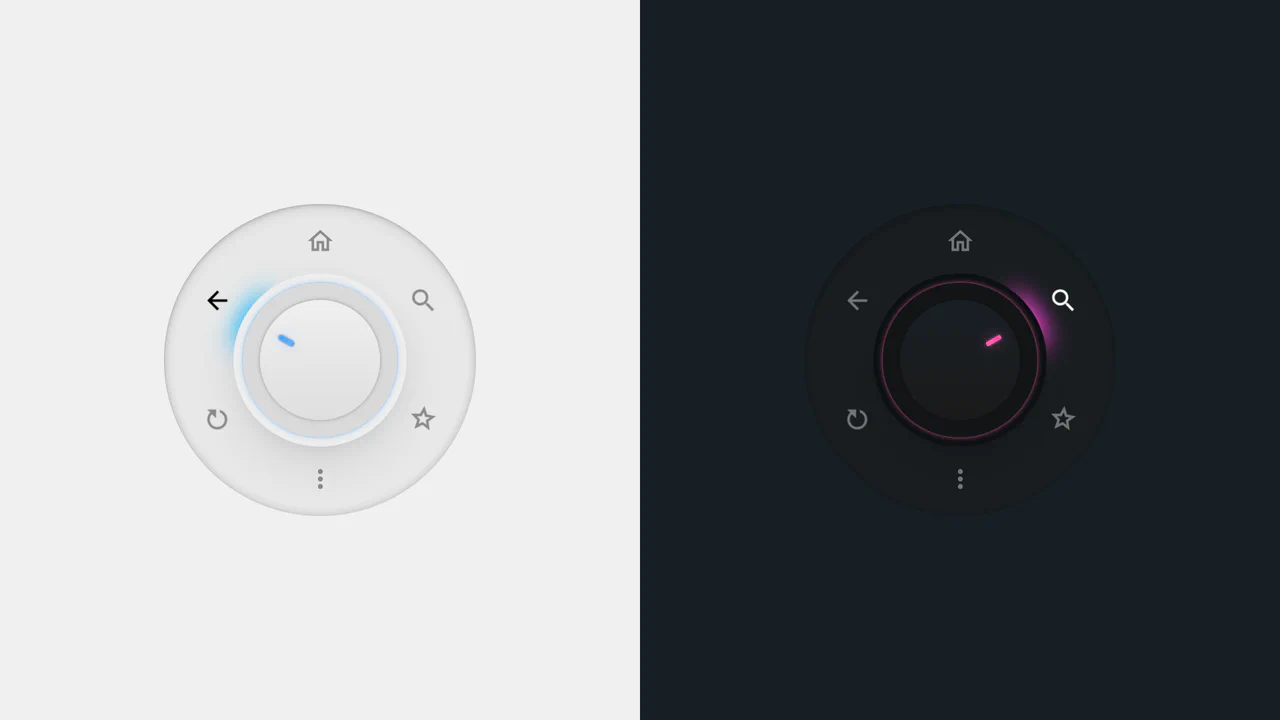
Radial Dial Control Menu
This is a Radial Dial Control Menu. It replaces traditional linear dropdowns with a rotary, hardware-inspired interface. Its function is to provide rapid, omnidirectional access to secondary actions, utilizing the user’s spatial memory and reducing cursor travel distance.
Chrome 115+
Edge 115+
Safari 16.4+
Firefox 128+
See the Pen Radial Dial Control Menu.

Sci-Fi Glowing Triangle Loader
This is a Sci-Fi Glowing Triangle Loader. It animates three spheres along the edges of a neon-lit geometric path while rotating in 3D space. Its function is to serve as a high-fidelity visual placeholder during asynchronous data fetching, establishing a strong thematic aesthetic immediately upon application launch.
Chrome 104+
Edge 104+
Firefox 104+
Safari 14.1+
See the Pen Sci-Fi Glowing Triangle Loader.

Cinematic 3D Racing Pursuit Game
This is a Cinematic 3D Racing Pursuit Game. It renders an endless runner-style experience with high-speed lane switching, projectile combat, and dynamic obstacle generation. Its function is to demonstrate complex WebGL post-processing and real-time game loops inside the browser, transforming a static webpage into an interactive arcade environment. (Requires: three-js)
Chrome 80+
Edge 80+
Firefox 75+
Safari 13+
See the Pen Cinematic 3D Racing Pursuit Game.
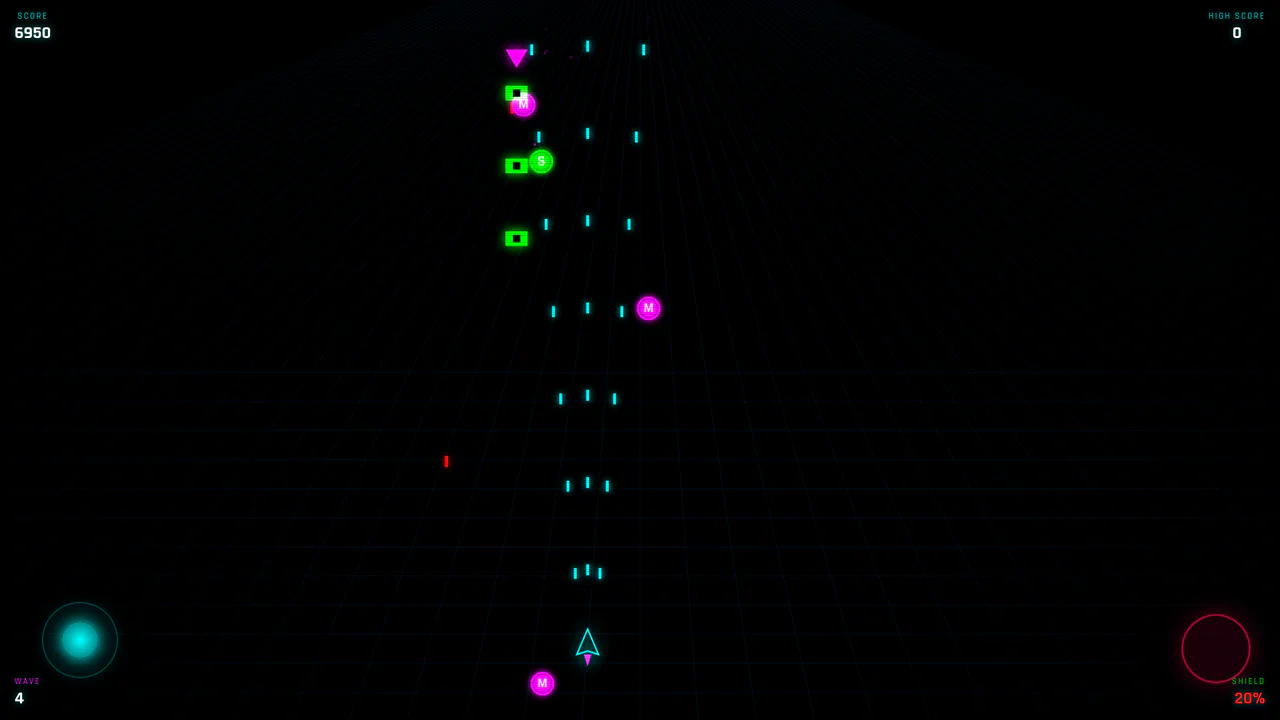
Neon Retro Canvas Space Shooter
This is a Neon Retro Canvas Space Shooter. It is a fully self-contained arcade game rendered entirely within a web browser without external assets. Its function in a UI context is to demonstrate high-performance 2D rendering, touch-based virtual control schemes, and procedural audio synthesis.
Chrome 64+
Edge 79+
Firefox 63+
Safari 13+
See the Pen Neon Retro Canvas Space Shooter.
Glowing Border Trace Button
This is a Glowing Border Trace Button. It utilizes embedded SVG rectangles to create a moving neon stroke along the perimeter upon interaction. Its function is to provide highly visible, tactile feedback for primary actions without disrupting the core layout geometry or triggering expensive repaints.
Chrome 88+
Edge 88+
Firefox 78+
Safari 14+
See the Pen Glowing Border Trace Button.

Glowing Chasing Squares CSS Loader
This is a Glowing Chasing Squares CSS Loader. It visually communicates background system processes through continuous, cyclic motion. Its function is to reduce perceived wait times by providing a predictable, rhythmic focal point during data fetching.
Chrome 53+
Edge 79+
Firefox 35+
Safari 9+
See the Pen Glowing Chasing Squares CSS Loader.

Dynamic Neon Glow Range Slider
This is a Dynamic Neon Glow Range Slider. It re-imagines a standard HTML range input as a high-fidelity, skeuomorphic control with interactive lighting. Its function is to provide an immersive user experience where the slider’s track illuminates with a neon glow that intensifies, and its drop shadow physically shifts, based on the thumb’s position.
Chrome 111+
Edge 111+
Firefox 113+
Safari 16.4+
See the Pen Dynamic Neon Glow Range Slider.

Neon Glow Toggle Switch
This is a Neon Glow Toggle Switch. It replaces a standard HTML checkbox with a highly tactile, skeuomorphic control. Its function is to provide satisfying visual feedback for state changes, utilizing a “filling” neon border and a sliding, textured handle to make binary selections feel like engaging physical hardware.
Chrome 85+
Edge 85+
Firefox 128+
Safari 16.4+See the Pen Neon Glow Toggle Switch.

Scroll-Driven Glowing Slider
This is a Scroll-Driven Glowing Slider. It completely restyles a standard <input type="range"> into a high-fidelity, glowing interface component. Its primary function is to demonstrate how experimental CSS features (animation-timeline: scroll()) can link native input states directly to complex visual changes — like a dynamically resizing, blurred glowing track — without relying on heavy JavaScript event listeners. (Requires: Tweakpane, Normalize.css)
Chrome 115+
Edge 115+
See the Pen Scroll-Driven Glowing Slider.

Mouse-Reactive Iridescent Button
This is a Mouse-Reactive Iridescent Button. It uses a sophisticated layering of CSS conic gradients and JavaScript pointer tracking to create a button with a vibrant, shimmering border that physically follows the user’s cursor. Its function is to provide a high-end, tactile micro-interaction that makes a standard call-to-action feel like a premium, light-sensitive object.
Chrome 122+
Edge 122+
Firefox 128+
Safari 16.4+See the Pen Mouse-Reactive Iridescent Button.

Skeuomorphic Lunar Desk Calendar
The Skeuomorphic Lunar Desk Calendar is a digital recreation of the traditional “Hardware Store Calendar”. It bridges the gap between physical paper textures and dynamic digital logic, providing users with both Gregorian and Lunar dates. Its function is to serve as a high-fidelity desktop widget that celebrates heritage design through modern CSS geometry.
Chrome 80+
Edge 80+
Firefox 75+
Safari 13.5+
See the Pen Skeuomorphic Lunar Desk Calendar.

Interactive Glowing Grid Cards
This snippet presents Interactive Glowing Grid Cards. It transforms a static grid of content into an immersive, tactile interface by having a soft, localized glow follow the user’s cursor. This effect illuminates both the background of the hovered card and the borders of adjacent cards, providing continuous, spatial feedback that enhances the premium feel of a dark-mode dashboard or feature list.
Chrome 60+
Safari 11+
Firefox 55+
Edge 79+
See the Pen Interactive Glowing Grid Cards.

Neon 3D Seven-Segment Digital Clock
This is a Neon 3D Seven-Segment Digital Clock. It procedurally generates a classic LCD/LED interface using pure CSS geometry. Its function is to provide a highly atmospheric, real-time clock that utilizes 3D space and realistic glowing floor reflections to enhance cyberpunk or dashboard aesthetics.
Chrome 60+
Edge 79+
Firefox 55+
Safari 11+
See the Pen Neon 3D Seven-Segment Digital Clock.

Sci-Fi Reticule Play Button
This is a Sci-Fi Reticule Play Button. It replaces static interaction states with an immersive, HUD-like sequence. Its function is to trigger a process (like loading data or initializing an app) while providing real-time visual feedback through an animated percentage counter and expanding SVG geometry. (Requires: GSAP, DrawSVGPlugin, ScrambleTextPlugin)
Chrome 55+
Edge 79+
Firefox 54+
Safari 11+
See the Pen Sci-Fi Reticule Play Button.

Industrial Ember Glow Toggle Switch
This is an Industrial Ember Glow CSS Toggle Switch. It uses layered box-shadow properties and complex radial gradients to simulate a physical, heat-emitting mechanism. Its function is to handle binary states (On/Off) while providing intense visual feedback. The effect relies completely on CSS, bypassing JavaScript to manage its interactive state and idle animations.
Chrome 88+
Edge 88+
Firefox 84+
Safari 14+
See the Pen Industrial Ember Glow Toggle Switch.

Animated Electric Border CSS Card
This is an Animated Electric Border CSS Card. It utilizes an embedded SVG filter to render a dynamic, unstable boundary. Its function is to isolate data and establish a clear focal point. The effect is self-contained and persistent, demanding attention through continuous motion.
Chrome 111+
Edge 111+
Firefox 113+
Safari 15.4+
See the Pen Animated Electric Border CSS Card.
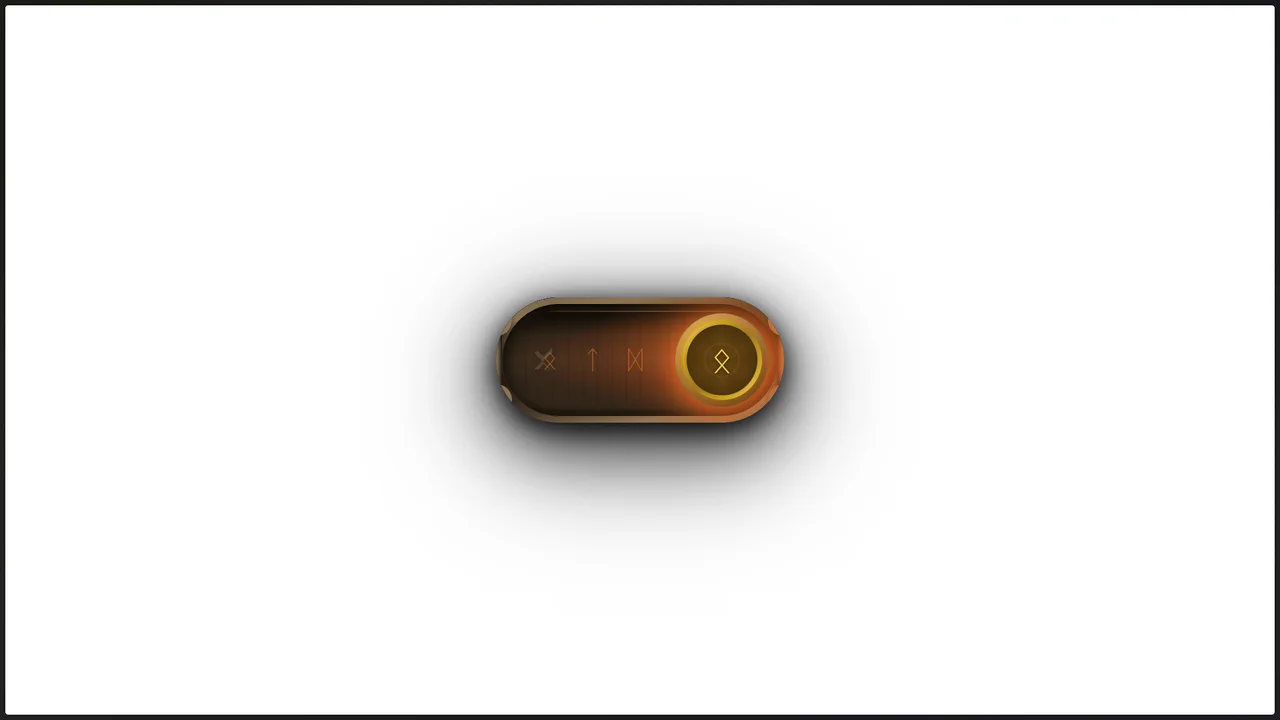
Viking Rune Wood Toggle
This Viking Rune Wood Toggle demonstrates how far CSS styling can go without JavaScript. It recreates a physical artifact - a wooden switch with bronze inlays and magical runes - perfect for RPG game interfaces or fantasy-themed websites. The switch features a “fire” state when active, complete with pulsating runes and floating ember particles, creating an immersive, tactile experience.
Chrome 60+
Edge 79+
Firefox 55+
Safari 11+See the Pen Viking Rune Wood Toggle.

Stripe-Inspired Cards Hover Effect
This Stripe-Inspired Cards Hover Effect replicates the sophisticated “flashlight” border interaction seen on modern SaaS websites. Instead of a simple color change, a soft radial gradient follows the user’s mouse cursor across a grid of cards. This creates a cohesive, lighting-aware interface where elements seem to illuminate as you interact with them.
Chrome 49+
Edge 15+
Firefox 31+
Safari 9.1+
See the Pen Stripe-Inspired Cards Hover Effect.

Glowing Tabs
A navigation menu leveraging CSS Houdini API to animate custom variables for smooth transitions. JavaScript calculates element geometry to drive a dynamic “glowing” background that slides between tabs, while CSS gradients and the :has() selector create a polished, depth-rich visual style.
See the Pen Glowing Tabs.

Cyber-Styled Sliding Tab Bar
A cyber-styled navigation bar featuring a sliding indicator driven by absolute positioning and coordinate mapping. JavaScript dynamically updates the style.left property via a switch statement, while CSS transition and drop-shadow render a smooth, neon-lit motion effect over the active SVG icons.
See the Pen Cyber-Styled Sliding Tab Bar.

Interactive Card Glow Effect
A modular React card component where a single pointermove listener updates CSS variables, powering a customizable, multi-layer glow and spotlight effect.
See the Pen Interactive Card Glow Effect.

Neuomorphic Fingerprint Scanner
A complex 3D effect with a deep glow, achieved by combining multiple box-shadow and radial-gradient styles. Key feature: layered fingerprint scanning using two SVG elements and the clever application of mix-blend-mode.
See the Pen Neuomorphic Fingerprint Scanner.
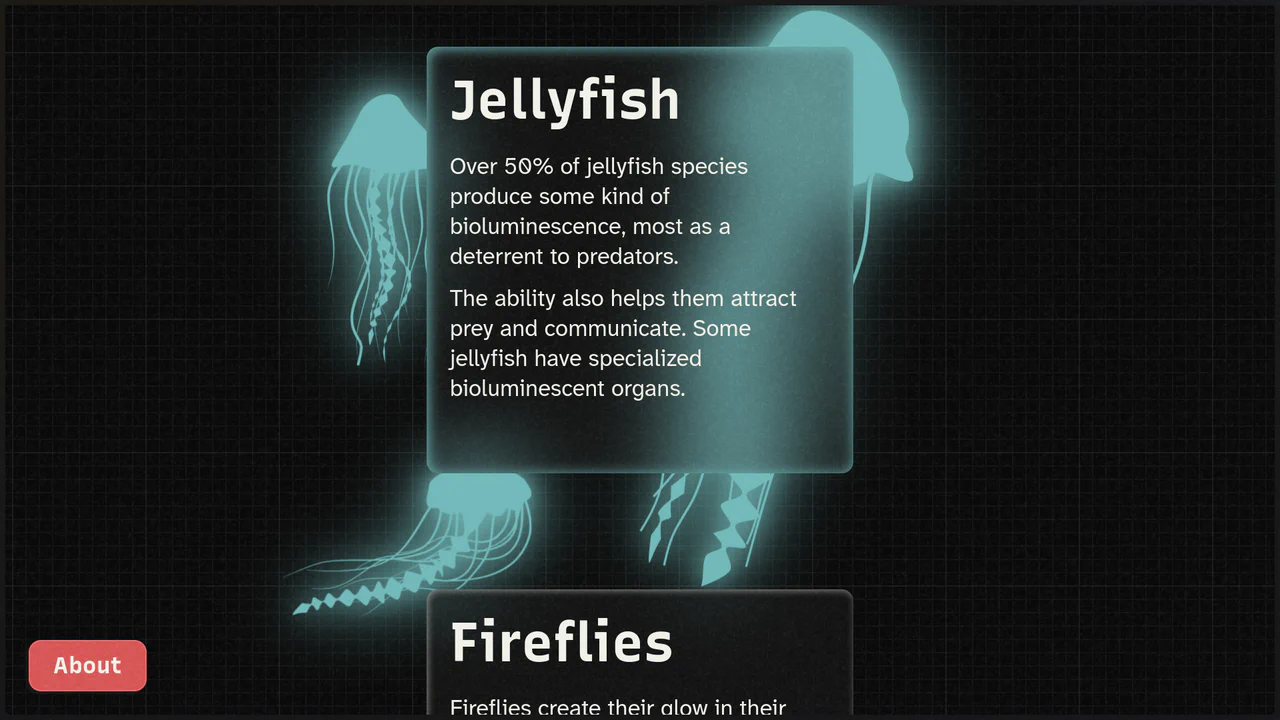
Card Glow | Bioluminescence Effect
Check out the smooth SVG animation achieved with CSS offset-path and keyframes, and the dynamic glow effect using the <feDropShadow> filter for a deep visual experience.
See the Pen Card Glow | Bioluminescence Effect.

Hot Ones Neon Sign Animation
A neon sign effect built with SVG and CSS filters. The addition of a flickering animation using @keyframes and a jQuery class toggle makes the component both realistic and interactive.
See the Pen Hot Ones Neon Sign Animation.

Text Decoder Animation
This demo shows how GSAP can be used for complex frame-by-frame text animations. It combines random character generation in JavaScript with precise timeline control to create a dynamic “encryption” effect, while CSS adds the final touches with a neon glow.
See the Pen Text Decoder Animation.
3D Glowing Bottle
This demo showcases advanced CSS techniques like synchronized transform: rotate() animations and the filter: drop-shadow() property to achieve a visually striking glowing liquid effect within a transparent container.
See the Pen 3D Glowing Bottle.