5 CSS Layout Switcher Examples: Free Code Snippets
CSS layout switcher templates enable users to dynamically toggle interface presentations between standard grid arrays and streamlined list tables, adapting content density based on reading preference. By reorganizing visual hierarchies natively in stylesheets, this pattern enhances usability in data-rich environments without requiring heavy, layout-disrupting script computations.
- Seamless visual state mutations are executed natively using the View Transitions API, automatically capturing DOM snapshots and interpolating coordinate morphs off the main thread.
- Responsive grid-to-list shifts leverage class selectors paired with CSS Grid and Flexbox coordinates, transitioning layout structures without mutating the underlying semantic node structure.
- To preserve critical INP (Interaction to Next Paint) performance, card components employ modern container queries to adapt internal text alignments locally during transition.
Master these flexible layout frameworks to integrate highly polished, zero-overhead presentation switches and responsive item views into your application.
Table of Contents:
Examples

E-Commerce Product Viewer
This is a CSS-Only E-Commerce Product Viewer. It implements a fully functional product configurator — including color variant swapping, synchronized background theme changes, and an interactive details accordion — without a single line of JavaScript. Its function is to demonstrate complex UI state management and immediate visual feedback using native CSS capabilities.
 Chrome 43+
 Edge 12+
 Firefox 16+
 Safari 9+
See the Pen E-Commerce Product Viewer.

Mission Control Grid Exposé
This is a Mission Control Grid Exposé. It scales overlapping full-screen views into a unified spatial grid. Its function is to provide absolute structural context, replacing linear tab switching with a macro-level physical interface.
Chrome 114+
Edge 114+
Safari 17+
Firefox 125+
See the Pen Mission Control Grid Exposé.

Expanding View Transition Music Card
This is an Expanding View Transition Music Card. It morphs a compact artist profile header into a full-featured media player interface upon interaction. Its function is to reveal secondary controls and cover art contextually, eliminating the need for abrupt modal overlays or separate page navigation.
Chrome 112+
Edge 112+
Firefox 131+
Safari 18+
See the Pen Expanding View Transition Music Card.
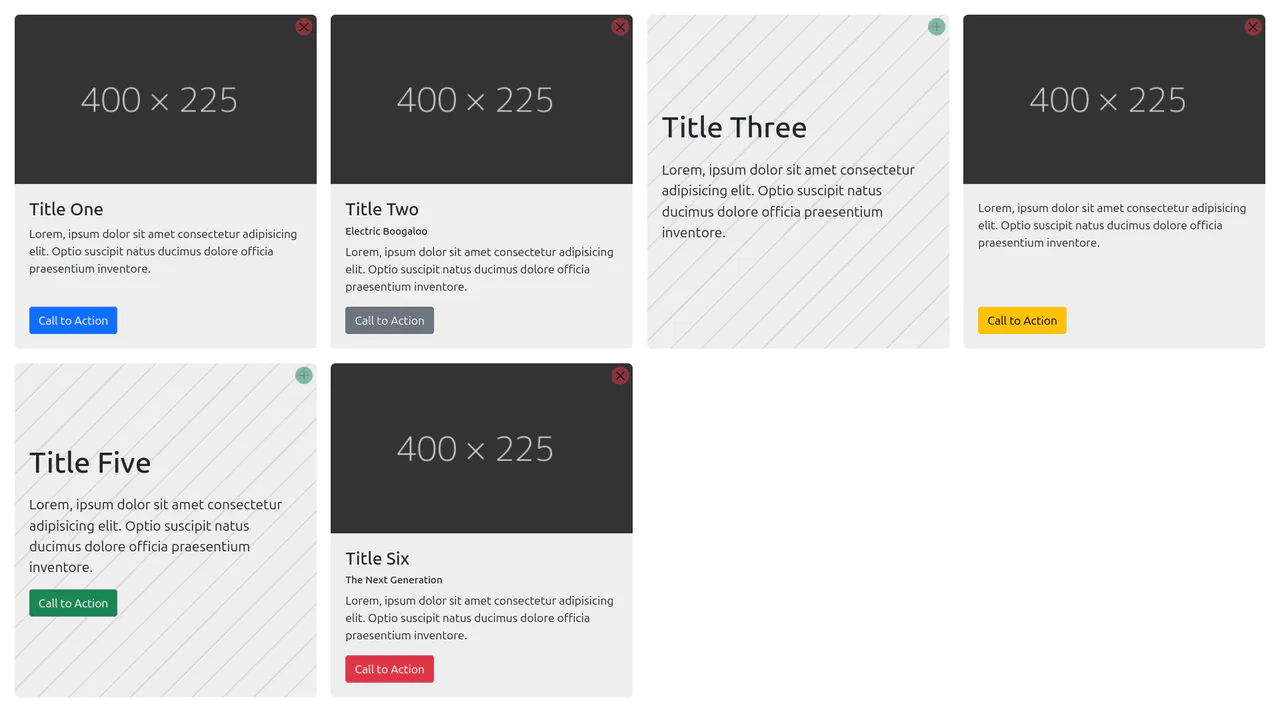
Content-Aware Cards
This is a Content-Aware Bootstrap Card. It uses the structural :has() pseudo-class to dynamically alter its internal layout, background, and typography based solely on the presence of an image node. Its function is to provide an adaptable, self-managing container that eliminates the need for redundant state-tracking classes in your JavaScript logic. (Requires: bootstrap)
Chrome 105+
Edge 105+
Firefox 121+
Safari 15.4+
See the Pen Content-Aware Cards.

Layout Switcher with :has()
Discover a pure CSS solution for dynamic layout switching between List and Grid views. It leverages the powerful CSS :has() selector to conditionally apply grid-template-columns based on the state of a radio input, all without a single line of JavaScript.
See the Pen Layout Switcher with :has().