30+ CSS Parallax Effects: Free Code Snippets & Examples
CSS parallax effects establish compelling spatial depth during page scroll, moving background layers slower than foreground content to simulate physical distance. By translating layers across different virtual planes, this technique transforms flat reading panels into immersive, multi-dimensional visual journeys.
- Traditional layout alignments leverage 3D perspective combined with translate3d() and scale() properties to calculate exact layer scaling relative to the depth plane.
- Modern scroll-bound layers utilize native view-timeline bounds, linking progress directly to viewport scrolling coordinates without IntersectionObserver callbacks.
- To preserve INP (Interaction to Next Paint) performance, parallax rendering is executed entirely on the GPU compositor thread, bypassing expensive document reflows.
Examine these native scrolling architectures to master the integration of physical depth and responsive kinetic layers into your layouts.
Table of Contents:
Examples

Scroll-Driven Sticky Parallax Header
This is a Scroll-Driven Sticky Parallax Header. It replaces static profile headers with a deeply integrated, cinematic scrolling experience. Its function is to transform a large hero image and avatar into a compact, sticky navigation bar, using native CSS animation-timeline: scroll() to orchestrate complex parallax, scaling, and fading effects without any JavaScript. (Requires: Open Props)
 Chrome 115+
 Edge 115+
See the Pen Scroll-Driven Sticky Parallax Header.

Generative 3D Parallax Typography
This is a Generative 3D Parallax Typography component. It utilizes the css-doodle web component to automatically duplicate and stack text elements into a volumetric layout. Its function is to create a dynamic, mouse-reactive hero graphic without the need to write complex JavaScript event listeners or maintain heavy WebGL canvases. (Requires: css-doodle)
Chrome 61+
Edge 79+
 Firefox 63+
 Safari 10.1+
See the Pen Generative 3D Parallax Typography.

Cinematic Parallax Reactive Navigation Menu
This is a Cinematic Parallax Reactive Navigation Menu. It synchronizes large-scale typographical navigation with multi-layered background shifts. Its function is to transform a standard menu into a high-end atmospheric gateway for editorial or premium portfolio websites, using user interaction to drive the visual narrative.
Chrome 80+
Edge 80+
Firefox 75+
Safari 13.1+
See the Pen Cinematic Parallax Reactive Navigation Menu.

CSS-Only 3D Animation
Upon hovering over the soda can, it “comes alive” (changing angle/label), while the foreground rocks slide apart, creating a dynamic 3D depth effect entirely via CSS.
See the Pen CSS-Only 3D Animation.

Interactive 3D Parallax Landscape
This volumetric 2.5D landscape utilizes spatial depth and layered parallax to create a tactile, multi-planar environment. While CSS preserve-3d handles the heavy lifting of perspective rendering, JavaScript orchestrates the state by mapping input to parametric rotation. By delegating logic to a hidden hit-area grid and leveraging GPU-accelerated transforms, the component ensures performance-optimized motion. This physical feedback minimizes cognitive load through intuitive spatial orientation for an immersive feel.
See the Pen Interactive 3D Parallax Landscape.

Floating Headers
Impressive, weighty 3D typography that reacts to scrolling with a natural shift in perspective, reminiscent of volumetric signage or cinematic titles.
See the Pen Floating Headers.
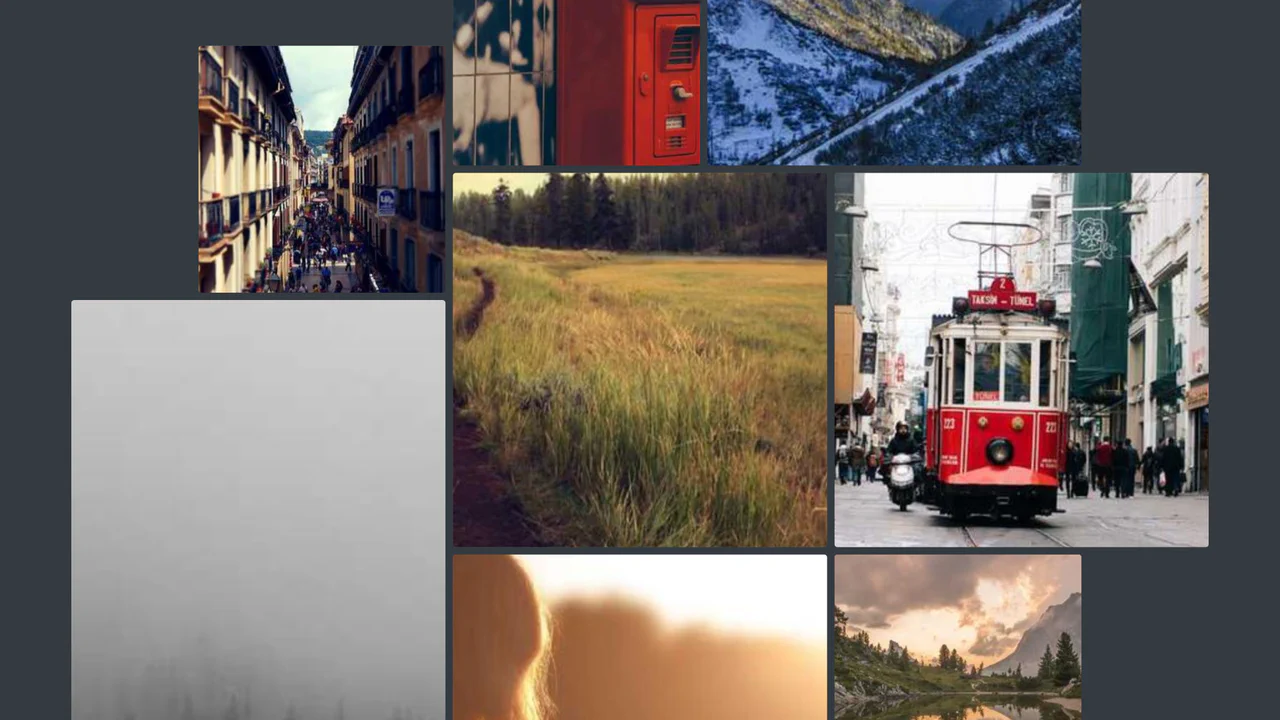
Scroll-Driven Gallery
A demonstration of the new CSS Scroll-Driven Animations (SDA) API, where the scroll position of the entire page directly drives a complex, scaling, and rotating grid of images, achieving a high-performance, engaging visual effect purely with CSS.
See the Pen Scroll-Driven Gallery.

3D Parallax Navigation with 'Fisheye' Hover Effect (CSS-Only)
A stunning CSS-only 3D parallax navigation with a “fisheye” hover effect, achieved using transform-style: preserve-3d and a translateZ function tied to cursor position. The core mechanism is the mathematical calculation of CSS variables.

Sliding Images Using Animation-timeline
This scroll-driven animation effect is built entirely with CSS Scroll-Driven Animations, using animation-timeline: scroll(). It smoothly translates and transforms elements based on scroll position, creating a dynamic and high-performance parallax effect without JavaScript.
See the Pen Sliding Images Using Animation-timeline.

CSS Only Parallax Layers
A parallax effect implemented entirely in pure CSS using animation-timeline: view(). This modern solution ensures high performance as the animation is tied directly to the scroll position, eliminating the need for JavaScript.
See the Pen CSS Only Parallax Layers.

Olly Moss Star Wars Parallax
A multi-layered 3D parallax poster of C-3PO from Star Wars, driven by JavaScript mouse tracking.
See the Pen Olly Moss Star Wars Parallax.

CSS-only Sliding Panels Using Transforms
A responsive Flexbox split layout that switches from horizontal to vertical via a media query. The “sliding doors” effect is created with pure CSS using transform and the sibling selector, while the parallax on hover is achieved with different content movement speeds controlled by LESS variables.
See the Pen CSS-only Sliding Panels Using Transforms.
Scroll Flip-Book
A demonstration of one of the oldest and most reliable tricks for a parallax effect: the background-attachment: fixed property makes the section backgrounds stay in place relative to the viewport while the sections themselves scroll, creating an illusion of motion.
See the Pen Scroll Flip-Book.
Mouse Move Parallax
Multi-Layer Mouse Parallax creates an interactive depth effect mapped to cursor movement. It loads three stacked PNG images inside a single background-image CSS property. A simple JS script tracks the mouse position, calculates offsets from the viewport’s center, and applies different multipliers to each layer’s backgroundPosition value. It is lightweight, though it lacks touch support.
See the Pen Mouse Move Parallax.
Parallax Effect
Interactive Synthwave Poster uses multi-layered mouse parallax to create a retro-future artwork. Driven by a mousemove event, a JS script applies scaled translations to four independent layers, including a clipping text element, vector doors, and a falling silhouette. The aesthetic is built with base64 noise textures, CSS-border triangles, and high-intensity neon glow shadows.
See the Pen Parallax Effect.
CSS-Only Horizontal Parallax Gallery
CSS-Only Parallax Horizontal Gallery implements a horizontal photo scroller using clever CSS geometry. By rotating the main scroll container -90deg and turning the child elements back 90deg, standard vertical mouse scrolling moves the gallery horizontally. Adding a perspective of 1px alongside varying translateZ values on images creates an organic, smooth parallax depth effect without any JavaScript.
See the Pen CSS-Only Horizontal Parallax Gallery.

3D Perspective Scroll Parallax implements a multi-depth scrolling scene using pure CSS. By declaring perspective: 300px on the scrollable wrapper and preserve-3d on group containers, it sets up a virtual 3D camera. Six independent layout layers — ranging from .sky at translateZ(-600px) to .people3 in the foreground — scroll at different speeds. It is a highly performant and fluid visual effect.
CSS Sticky Parallax Sections
Sticky Parallax Scroll Effect achieves a multi-layer scroll depth effect without JavaScript. It uses position: sticky on image containers alongside a negative margin-top: -50vh on text sections, allowing content to glide smoothly over pinned backdrops. An ingenious scale-compensation math trick applies subtle height compression while keeping child typography undistorted.
See the Pen CSS Sticky Parallax Sections.
Disney Wall Parallax. Only CSS
3D Scrolling Poster Grid displays continuous rows of scrolling movie cards angled in a 3D perspective plane. CSS keyframes translate the horizontal .images-line containers indefinitely, with even rows moving slower. Hovering over cards triggers a scale animation, while pseudo-elements use background: inherit with a blur filter to create realistic ambient colored backlights.
See the Pen Disney Wall Parallax. Only CSS.
Easy Parallax Effect with `background-attachment: fixed`
Fixed Background CSS Parallax achieves an elegant viewport scroll effect using only CSS. By declaring background-attachment: fixed on fullscreen .container wrappers, the background images lock to the viewport frame. As the user scrolls, text boxes and solid-colored spacer blocks glide across the screen like open windows revealing the static art. It is a highly performant, retro-classic layout.
3D Parallax Effect on Hover
CSS Optical 3D Parallax Illusion creates a clever depth effect on images without JavaScript. It uses a custom --f factor to configure math-driven angles and crop values. On hover, the image simultaneously rotates in a 3D perspective and shifts its clipped viewport via clip-path: inset(). This dual shift keeps the centered subject still while the card frame swivels, simulating parallax.
See the Pen 3D Parallax Effect on Hover.
CSS Parallax Scrolling
Infinite Lined Parallax Landscape renders a continuous scrolling scenery using pure CSS. It groups four independent landscape layers styled with repeating assets and stretched to width: 400%. An infinite @keyframes slideshow translates each layer to -50% over different duration offsets (30s to 240s) to simulate physical speed depth.
See the Pen CSS Parallax Scrolling.
Parallax Photo Columns with CSS Scroll Linked Animations
Scroll-Driven Columns Parallax builds a multi-column masonry grid using modern CSS. It leverages animation-timeline: scroll(root) to bind page scroll progress to column translation animations. Columns 1, 2, 4, and 5 slide vertically at staggered speed factors, while the center column remains static. A JavaScript polyfill ensures compatibility on browsers lacking native scroll timelines.
Avengers: Infinity War — A CSS Parallax Experiment
3D Multi-Layered CSS Parallax crafts a complex superhero landing page using pure CSS. It implements Keith Clark’s classic technique by declaring perspective: 300px on a container and preserve-3d on group wrappers. Multi-depth layers use proportional translateZ and scale variables to offset speed while maintaining proportional bounding boxes. It is highly detailed but prone to iOS Safari overflow bugs.
See the Pen Avengers: Infinity War — A CSS Parallax Experiment.
CSS Criss Cross Parallax with scroll-linked Animations
Scroll-Driven Photo Collage builds an interactive, skewed image mosaic using modern CSS scroll-driven animations. By assigning view-timeline: --collage to a spacer block and pinning the container with position: sticky, it links viewport scrolling to grid dispersion. Individual photo blocks translate dynamically in alternating directions as you scroll, dissolving the collage.
Card
Editorial Magazine Card crafts a split-reveal article card using pure CSS. It styles skewed and rotated pseudo-elements (:after) to mask and crop the header image with a sharp diagonal border. On hover, CSS translateY transitions separate the elements, sliding the header image upwards and the text container downwards. It is a highly clean and performant editorial layout.
See the Pen Card.
Parallax Grid
Interactive Parallax Photo Grid displays a responsive portfolio mosaic with dynamic mouse tracking. It uses jQuery to dynamically resize the scene wrapper to full viewport height (vh) and stack grid columns into a clean, two-row grid. The core parallax effect is managed by the Parallax.js library, which translates the rotated grid layer smoothly based on cursor coordinates.
See the Pen Parallax Grid.
Page Top Parallax
SVG Masked Scroll Parallax builds a high-performance, layered NYC skyline animation. It uses custom SVG elements and inline <mask> paths to divide a single landscape background image into eight depth layers. A lightweight, passive scroll listener calculates the page offset, passing the percentage to CSS as --pct. Staggered CSS variable transforms then animate the Z-depth zoom.
See the Pen Page Top Parallax.
3D CSS Parallax Depth Effect
3D Parallax Poster Cards builds an interactive, multi-layer movie card grid. It applies CSS preserve-3d and custom perspective coordinates to push the .card__bg layer back on the Z-axis. When moving the cursor, a requestAnimationFrame listener rotates the main container while shifting the foreground characters and background images in opposite directions to simulate depth.
See the Pen 3D CSS Parallax Depth Effect.
PopCSSicle
A hover-activated layering system with staggered fade-in animations. Three product cards (banana, popsicle, berries) stack with transform offsets, then snap flat on hover. CSS custom properties control timing (--base-delay: 255ms, --variable-delay: 55ms) for the sequential reveal of images, price ($ 1.99), labels, and the CTA button. Performance is clean — only transitions and keyframe animations, no heavy reflows. The preserve-3d and backface-visibility are redundant here but don’t hurt. UX is predictable: hover the container, watch elements appear in a cascade, click the pseudo-element button (though it lacks actual JS behavior).
See the Pen PopCSSicle.