6 CSS Periodic Tables
Complex data requires absolute structure. Pure CSS periodic table examples organize dense scientific information without creating visual barriers. This updated collection delivers functional, minimalist layouts for modern UI design. Utilizing curated snippets skips redundant coding, letting raw logic handle the visual hierarchy. No heavy scripts. No friction.
The core logic relies strictly on CSS Grid for precise elemental alignment across multiple axes. Hover states leverage hardware acceleration, animating properties like transform: scale and opacity to ensure 60fps performance on the rendering thread. The HTML structure remains semantic. This approach guarantees absolute layout stability and prevents costly browser repaints during interaction.
Every free demo is fully responsive and cross-browser compatible. Users can instantly download the raw code or fork a specific element matrix on CodePen.
Examples
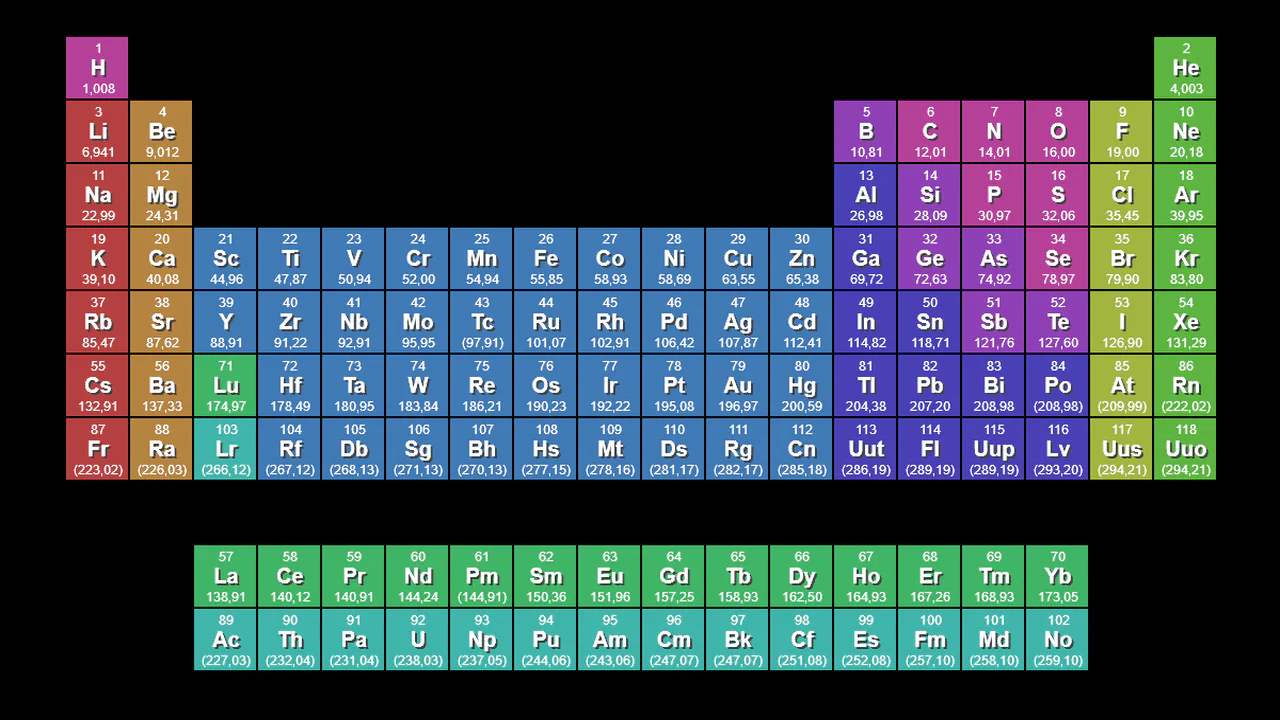
Periodic Table
A fully detailed, color-coded scientific table generated by a script just 1 kilobyte in size.
See the Pen Periodic Table.

Periodic Table
A responsive table where hovering over a cell triggers an instant 3x magnification pop-up atop other elements, allowing details to be read while keeping the interface stable.
See the Pen Periodic Table.

A static grid that comes alive on hover: font cards “jump out” at the user with a springy animation, doubling in size for easy reading.
The layout uses CSS Grid: nine columns, four rows. Each cell is an element with a gradient background and an inner container. On hover, the element scales up, the inner background fades, and a tooltip appears from data-description.

The periodic table is built with CSS Grid: each cell is placed via grid-area, and symbol colour is set by modifier classes. Lanthanides and actinides are separated into a sub‑table. All data (name, number, weight) lives directly in the HTML — no JavaScript, just structure and styles.
The periodic table uses CSS Grid and Pug mixins: each element is generated by a mixin, positioned with .cN.rM classes. Interactivity relies on radio buttons: selecting an element scales it up and displays an atomic model with rotating orbitals. Category filtering also uses radio buttons, dimming unrelated elements. No JavaScript — just CSS and HTML.