6 CSS RGB Effects: Best Free Color Split Snippets
CSS RGB effects inject vibrant color-split kinematics and dynamic color-shift spectrums into modern web interfaces, utilizing chromatic distortion and multi-tone overlays to elevate active states. By manipulating color channels and blending light values natively, this pattern transforms plain typography and borders into highly engaging digital accents.
- Precision chromatic splits use absolute-positioned pseudo-elements layered with a mix-blend-mode (like
screen) to shift red, green, and blue offsets independently. - Smooth spectrum cycling is driven by animating custom color variables registered via the @property API, enabling clean, native color interpolation across gradients.
- To preserve critical INP (Interaction to Next Paint) performance, high-speed gradient flows and color-shifting borders are executed directly on the GPU compositor.
Master these volumetric color-mixing techniques to design cutting-edge, vibrant UI accents and futuristic visual states that respond instantly to user focus.
Table of Contents:
Examples

RGB Mechanical Keyboard Grid
Digital interfaces often feel flat and lifeless. This component brings the tactile satisfaction of high-end mechanical hardware to the web. By simulating physical properties like keycap depth, under-glow, and randomized RGB lighting, we create an object that begs to be touched. It is a study in skeuomorphic revival, blending modern CSS capabilities with the gamer aesthetic to produce a UI element that feels solid, expensive, and reactive.
 Chrome 105+
 Edge 105+
 Firefox 110+
 Safari 16+
See the Pen RGB Mechanical Keyboard Grid.

RGB Dot Preloader
A hypnotic, kaleidoscopic loader where white dots decompose into their RGB constituents during motion, generating a sensation of energy and complexity.
See the Pen RGB Dot Preloader.

ctrl+c ctrl+v Keys RGB
A decorative keyboard with a realistic press effect and dynamic, iridescent RGB backlighting, reminiscent of gaming keyboards.
See the Pen ctrl+c ctrl+v Keys RGB.
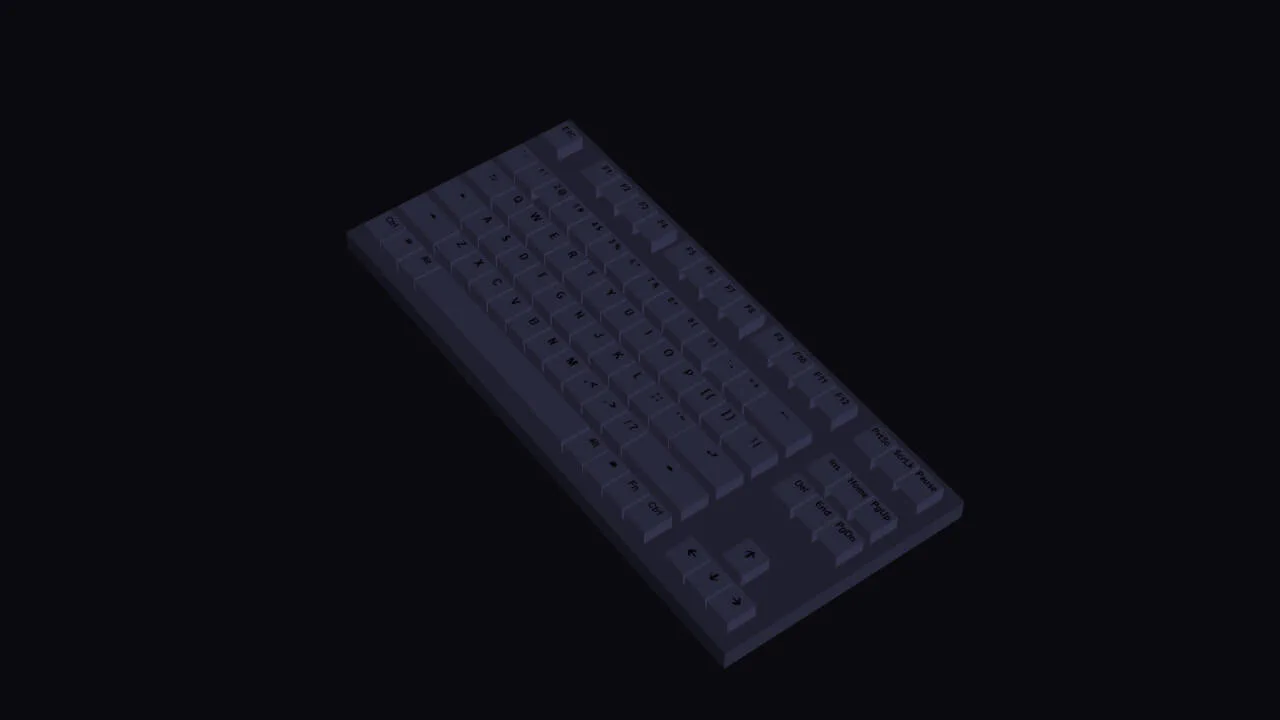
RGB Keyboard with Dark Mode
A detailed, volumetric, and animated keyboard model that smoothly changes its backlighting and reacts to user actions, demonstrating the power of CSS for creating 3D objects.
See the Pen RGB Keyboard with Dark Mode.
Retro Glitch Effect Colors RGB
A striking retro RGB glitch effect built with pure CSS using the mix-blend-mode: screen property. This snippet simulates chromatic aberration through cyclic keyframe animations of color layers, providing a high-performance visual punch for cyberpunk-themed UI designs.
See the Pen Retro Glitch Effect Colors RGB.
RGB Blob Preloader
A hypnotic blob loader built with pure CSS, utilizing mix-blend-mode: screen for organic RGB color blending. This snippet showcases advanced border-radius manipulation to create fluid, liquid-like motion, ensuring high frontend performance with zero JavaScript dependencies.
See the Pen RGB Blob Preloader.