10+ CSS scroll-snap Examples
Fluid navigation demands tactile precision. The CSS scroll-snap examples in this updated collection remove the friction of heavy JavaScript sliders, establishing a direct connection between human intent and content flow. Modern UI design requires raw, native snapping. Utilizing these curated snippets ensures a transparent interface where functional logic dictates the structural form, preventing over-engineered dependencies.
Technical execution relies strictly on the scroll-snap-type and scroll-snap-align properties. The code manages precise scroll points natively within the browser engine. Scrolling leverages hardware acceleration, avoiding Main Thread blocking to maintain a locked 60fps performance on the GPU. The HTML structure remains strictly semantic, ensuring absolute layout stability without triggering costly repaints during rapid swiping.
Every free demo is fully responsive and cross-browser compatible. Users can instantly download the raw code or fork a specific layout on CodePen. These assets are strictly optimized for performance, delivering a fast, frictionless experience across all modern mobile and desktop devices.
Examples

Native CSS Scroll Snap Time Picker
This date and time wheel selector leverages the cutting-edge CSS Scroll Snap Events API to build an efficient mobile-style picker. By registering event listeners for scrollsnapchanging and scrollsnapchange, the layout dynamically updates the select state in real time as the wheels rotate. It uses native CSS scroll-start-target-block to set initial positions, offering a smooth, lightweight solution.
 Chrome 129+
 Edge 129+
 Safari 18+
See the Pen Native CSS Scroll Snap Time Picker.
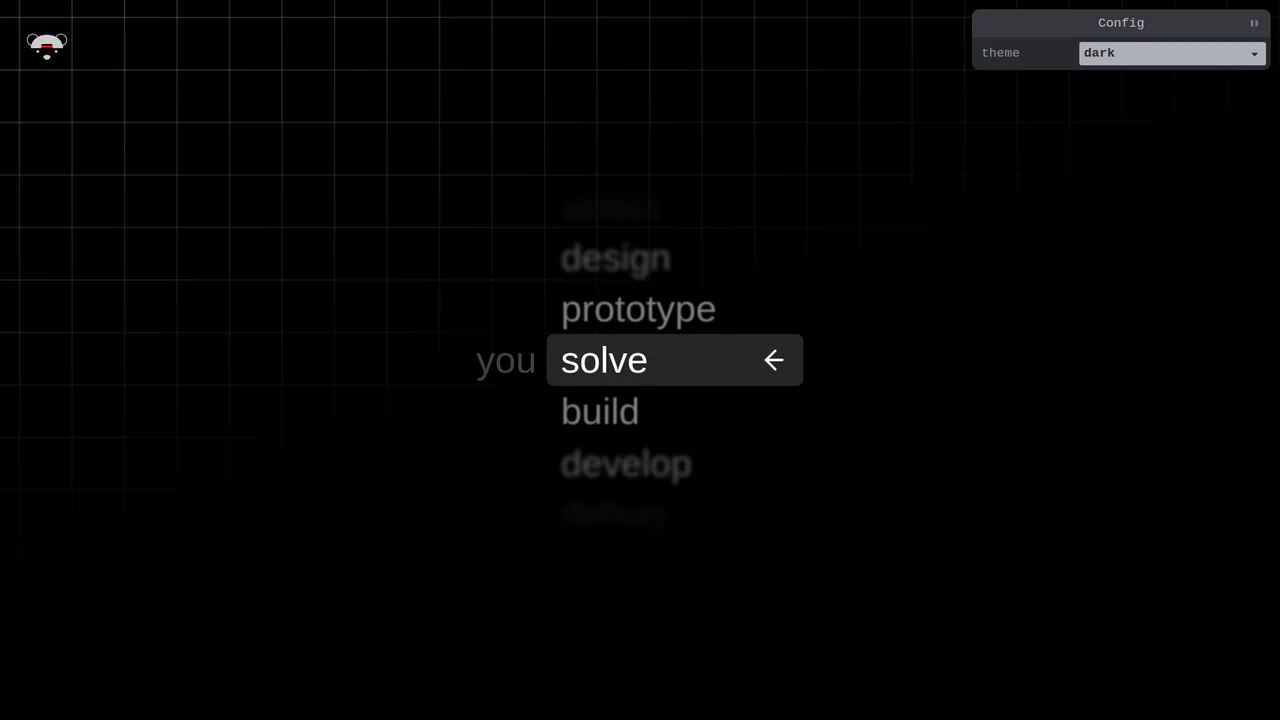
Scroll-Snapping Popover Select Dropdown Menu
An experimental custom select dropdown menu built on native HTML5 base-select specifications. The picker popover displays options in a vertically scroll-snapped viewport that fades and blurs adjacent values based on scroll proximity. A lightweight GSAP scrolling script automatically centers and aligns selected items in real time, while modern @starting-style manages discrete popover overlay entry transitions. (Requires: gsap.js, tweakpane.js)
Chrome 130+
Edge 130+
See the Pen Scroll-Snapping Popover Select Dropdown Menu.

Scroll-Driven View Transitions
This is a Scroll-Driven View Transitions component. It simulates app-like, full-screen transitions between content sections using only native CSS properties. Its function is to replace traditional vertical scrolling with a more engaging, cinematic experience, where each scroll action triggers a complex animation (like a “melt”, slide, or zoom) rather than a simple positional change.
Chrome 115+
Edge 115+
See the Pen Scroll-Driven View Transitions.

Adaptive Thumbnail Carousel
This Adaptive Thumbnail Carousel is a versatile gallery component that seamlessly bridges the gap between desktop and mobile UX. On desktop, it presents a traditional filmstrip of thumbnails. On mobile, it intelligently morphs into a dot-navigation style, where hovering (or tapping) a dot reveals a floating preview of the image. The carousel handles state synchronization, smooth scrolling, and accessibility, making it a robust choice for e-commerce product pages or portfolios.
Chrome 69+
Edge 79+
 Firefox 63+
Safari 13.1+
Firefox 63+
Safari 13.1+
See the Pen Adaptive Thumbnail Carousel.

Pure HTML/CSS Image Slideshow
A lightweight, fast gallery that operates without JS libraries, supporting keyboard navigation, mobile swipes, and deep linking to specific slides.
See the Pen Pure HTML/CSS Image Slideshow.

Page Indicator Animation
A full vertical slider with scroll-snap points. The navigation indicator is dynamically animated using the Intersection Observer API, which tracks when a slide enters the viewport.
See the Pen Page Indicator Animation.

Infinite Scrolling Cards with GSAP and ScrollTrigger
A demonstration of an advanced GSAP technique for an infinite carousel, where the animation of each element is cyclically repeated with precise staggering, creating the feeling of continuous 3D space.
See the Pen Infinite Scrolling Cards with GSAP and ScrollTrigger.

Scroll-Snap Grid Navigation with Intersection Observer
See how the Intersection Observer powers the 2D grid navigation: the Scroll Snap logic handles mandatory cell binding, while a JS utility adds support for keyboard arrow navigation and responsive typography using cqi/dvh units.

Dinosaur Park Scroll Snap Reveal Demo
Impressive scroll-triggered element reveal implemented using the native Intersection Observer API and styling based on CSS Custom Properties for cascading animations.
See the Pen Dinosaur Park Scroll Snap Reveal Demo.

CSS-Only Testimonials Using Scroll Snap
A powerful demonstration of building a full-featured carousel entirely with CSS, leveraging experimental ::scroll-button, ::scroll-marker, and position-anchor for navigation, indicators, and positional layout without any JavaScript.
See the Pen CSS-Only Testimonials Using Scroll Snap.
![CSS-Only Carousel using ::scroll-* Pseudo-Elements [Demo 2]](/img/2025/2025-09-27-css-only-carousel-using-scroll-pseudo-elements-demo-2_hu3452456459031873268.webp)
CSS-Only Carousel using ::scroll-* Pseudo-Elements [Demo 2]
A showcase of the newest CSS capabilities for component building: a complete carousel where navigation buttons (::scroll-button) and marker dots (::scroll-marker) are automatically generated and styled, and the initial item is set via scroll-initial-target.

Popover Drawer UI
A demonstration of an adaptive drawer UI, driven entirely by modern CSS features like scroll-snap and animation-timeline: scroll(), with a close mechanism based on scrollsnapchange. It also includes VisualViewport handling logic for proper iOS behavior.
See the Pen Popover Drawer UI.

A horizontally scrollable game carousel with custom scrollbars and snap points. JavaScript adds click‑to‑scroll and sound feedback on snap events. CSS scroll‑state queries highlight the snapped item and animate its title; progressive enhancement ensures fallbacks for unsupported browsers.
Experimental trip carousel using CSS scroll‑snap, scroll markers, and anchor positioning. Each day card reveals details on hover or when snapped. A plane icon follows the active marker. Counters for day numbers are currently broken; the layout relies on modern, partially supported CSS features.