5 CSS Sibling Selector Examples
This updated collection of CSS Sibling Selector Examples removes the barrier of script-based logic, allowing for native state management directly in the stylesheet. Modern UI design requires responsive feedback without performance overhead. Utilizing these curated snippets provides a direct path to creating interactive components — like tabs, accordions, and custom inputs — where the HTML structure dictates the visual form.
The logic relies on the Adjacent Sibling Combinator (+) for targeting an immediately following element and the General Sibling Combinator (~) for all subsequent siblings. These examples heavily leverage the “checkbox hack,” where a hidden input’s :checked state conditionally styles visible elements. This offloads state logic from the Main Thread to the browser’s styling engine, leveraging hardware acceleration for transitions on transform and opacity.
Every free demo is fully responsive and cross-browser compatible, as these selectors are core to the CSS specification. The underlying semantic HTML remains fully functional for assistive technologies. Users can instantly download the raw code or fork a specific interaction on CodePen. These assets are optimized for layout stability, delivering a fast, frictionless experience across all modern devices.
Examples
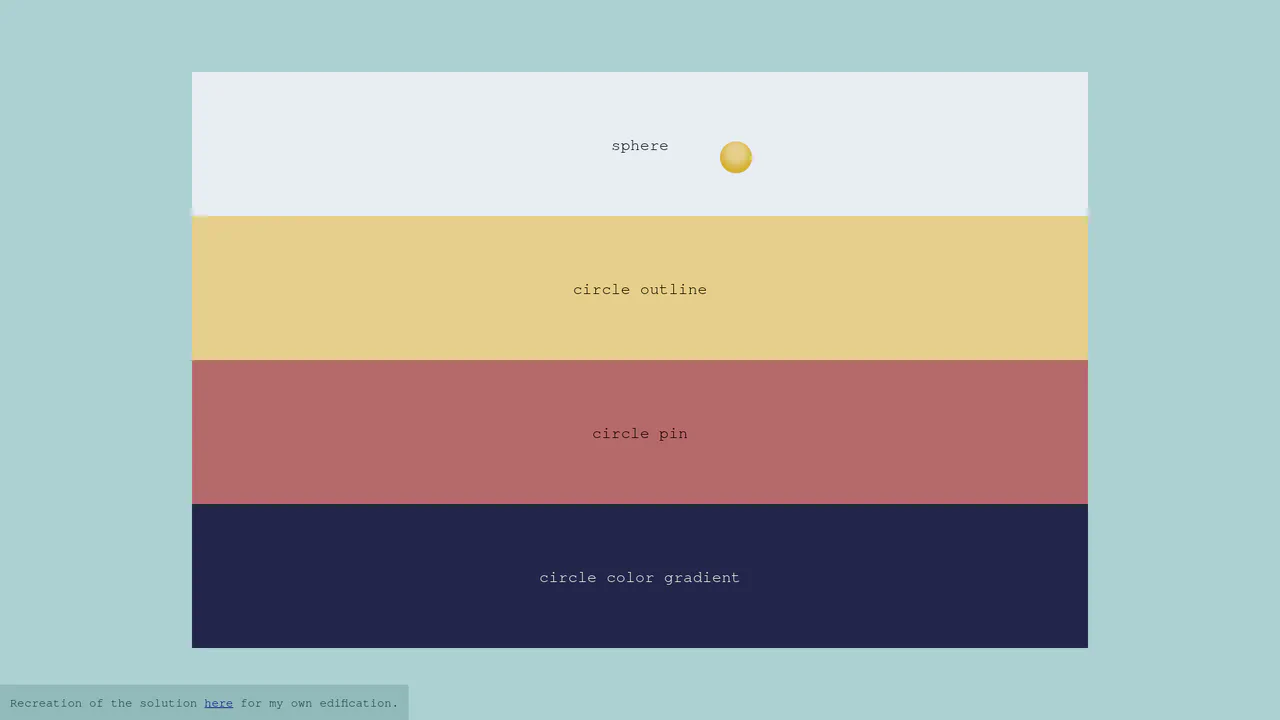
Context-Aware Custom CSS Cursor
A lightweight implementation of a context-aware custom cursor. JavaScript tracks pointer coordinates via requestAnimationFrame to smoothly update the position of a fixed div element. The visual transformations — such as morphing into a sphere, an outline ring, or a gradient pin — are handled entirely by CSS general sibling combinators (~), ensuring hardware-accelerated transitions without flickering.
 Chrome 36+
 Edge 12+
 Firefox 16+
 Safari 9+
See the Pen Context-Aware Custom CSS Cursor.

CSS Flip-Disc Mechanical Checkbox
This Flip-Disc Mechanical Checkbox brings the satisfying, tactile physics of old-school airport information boards to the web. Instead of a simple tick, selecting an item triggers a 3D rotation of a mechanical disc, flipping it from a dark, inactive side to a glowing orange active side. This creates a high-contrast, industrial aesthetic perfect for system dashboards or retro-themed interfaces.
Chrome 36+
Edge 12+
Firefox 16+
Safari 9+
See the Pen CSS Flip-Disc Mechanical Checkbox .

Merging Pill Filter Buttons
This Merging Pill Filter Button set introduces a fluid, organic feel to standard multi-select inputs. Instead of keeping active items isolated, this component visually fuses adjacent selected buttons into a single continuous shape. It’s an excellent choice for music apps, filtering systems, or any UI where categories are related and grouping them visually adds context.
Chrome 60+
Edge 79+
Firefox 50+
Safari 10+
See the Pen Merging Pill Filter Buttons.

Interactive 3D Parallax Landscape
This volumetric 2.5D landscape utilizes spatial depth and layered parallax to create a tactile, multi-planar environment. While CSS preserve-3d handles the heavy lifting of perspective rendering, JavaScript orchestrates the state by mapping input to parametric rotation. By delegating logic to a hidden hit-area grid and leveraging GPU-accelerated transforms, the component ensures performance-optimized motion. This physical feedback minimizes cognitive load through intuitive spatial orientation for an immersive feel.
See the Pen Interactive 3D Parallax Landscape.
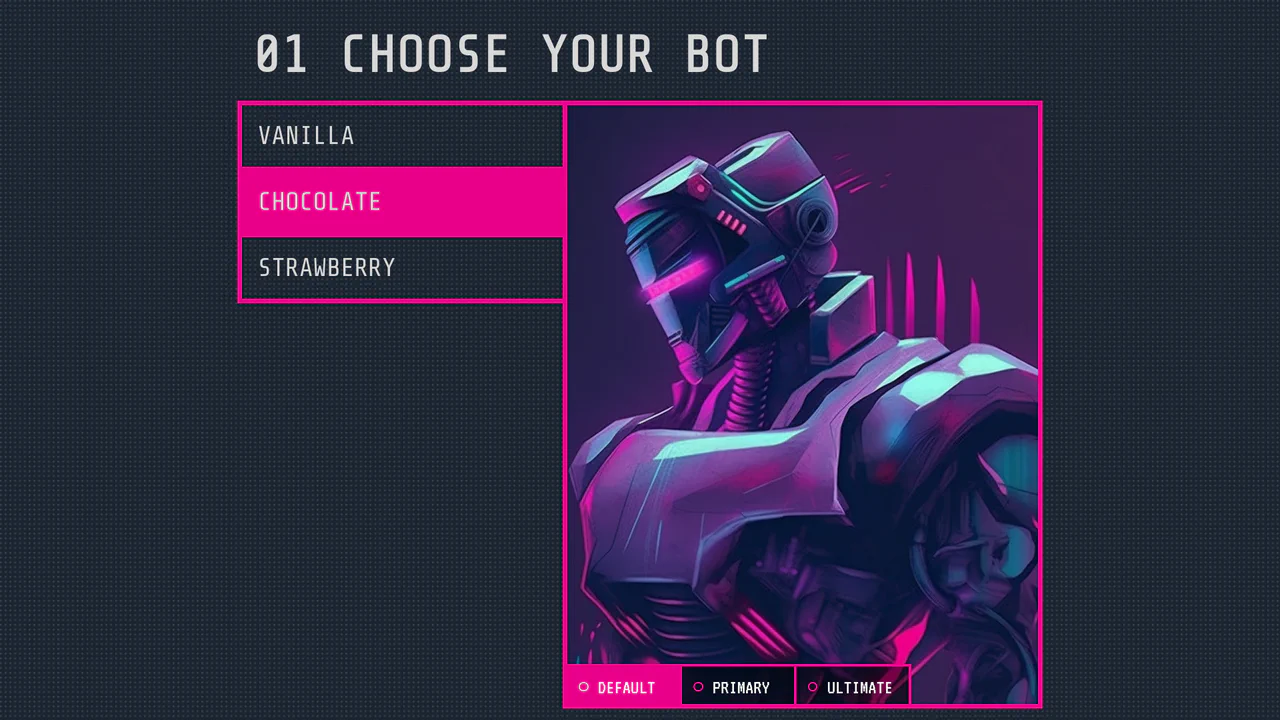
Radio Button Selector
A sci-fi character selector utilizing the CSS ‘Radio Button Hack’ for state management. While Vue.js handles data binding, the visual logic relies entirely on sibling combinators and :checked to toggle visibility and opacity, creating a seamless grid-based UI.
See the Pen Radio Button Selector.