10+ CSS Slideshows
Visual narratives demand uninterrupted flow. Pure CSS Slideshow Examples remove the delay of heavy script initialization, allowing images to render instantly. This collection provides structural blocks for modern UI design, prioritizing raw performance. Utilizing these curated snippets guarantees that the interface remains transparent and functional.
Technical execution relies on native browser states. These examples utilize the checkbox hack or :target pseudo-class for navigation logic. Layouts are constructed with Flexbox or CSS Grid, often incorporating scroll-snap-type for tactile precision. Animation leverages strict hardware acceleration, manipulating transform: translateX and opacity to ensure a locked 60fps performance. The HTML remains strictly semantic, ensuring absolute layout stability.
Every free demo is fully responsive and cross-browser compatible. Users can instantly download the raw code or fork an updated layout on CodePen.
Examples

Pure HTML/CSS Image Slideshow
A lightweight, fast gallery that operates without JS libraries, supporting keyboard navigation, mobile swipes, and deep linking to specific slides.
See the Pen Pure HTML/CSS Image Slideshow.

Cyberpunk Glitch Slideshow
A pure-CSS masterpiece that uses advanced perspective and @keyframes to create a striking 3D-like parallax and an automatic slideshow. The demo highlights the power of modern CSS to achieve sophisticated interactive and animated interfaces without a single line of JS.
See the Pen Cyberpunk Glitch Slideshow.
Retro CSS Slideshow
A demonstration of how two independent, infinite @keyframes animations can be layered to create a complex visual sequence. One set of animation-delay manages the colored transitions, while the second controls the smooth appearance of the background images, creating a dynamic slideshow effect.
See the Pen Retro CSS Slideshow.

A 3D panorama viewer built with CSS transforms — three panels and their side/reflection faces create a box‑like illusion. A keyframe animation cycles through five panoramic images, updating the background on all faces simultaneously. Hidden <img> tags preload the images; no JavaScript handles the transition.
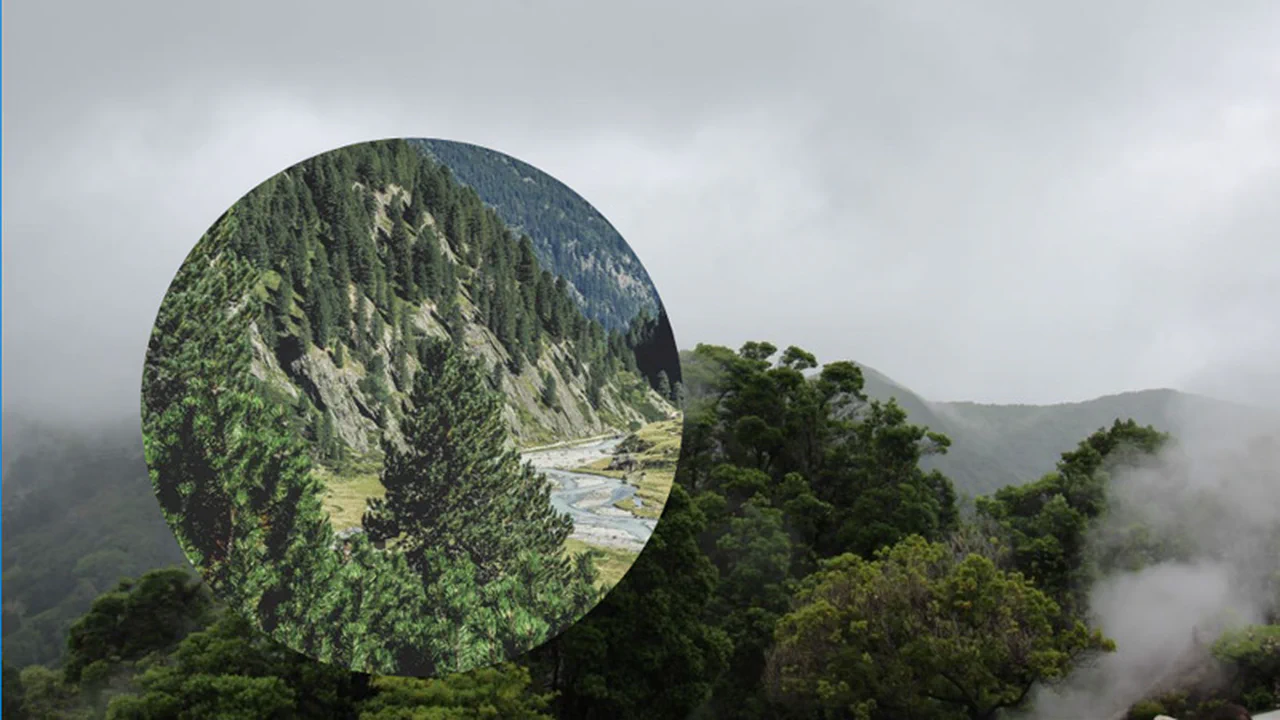
A Vue component cycles through images with a click‑based reveal transition. Click coordinates set CSS custom properties, triggering a clip-path circle that expands from the touch point. The parent rotates the image array, creating an infinite loop. All animation is handled by CSS; Vue manages state and re‑rendering.
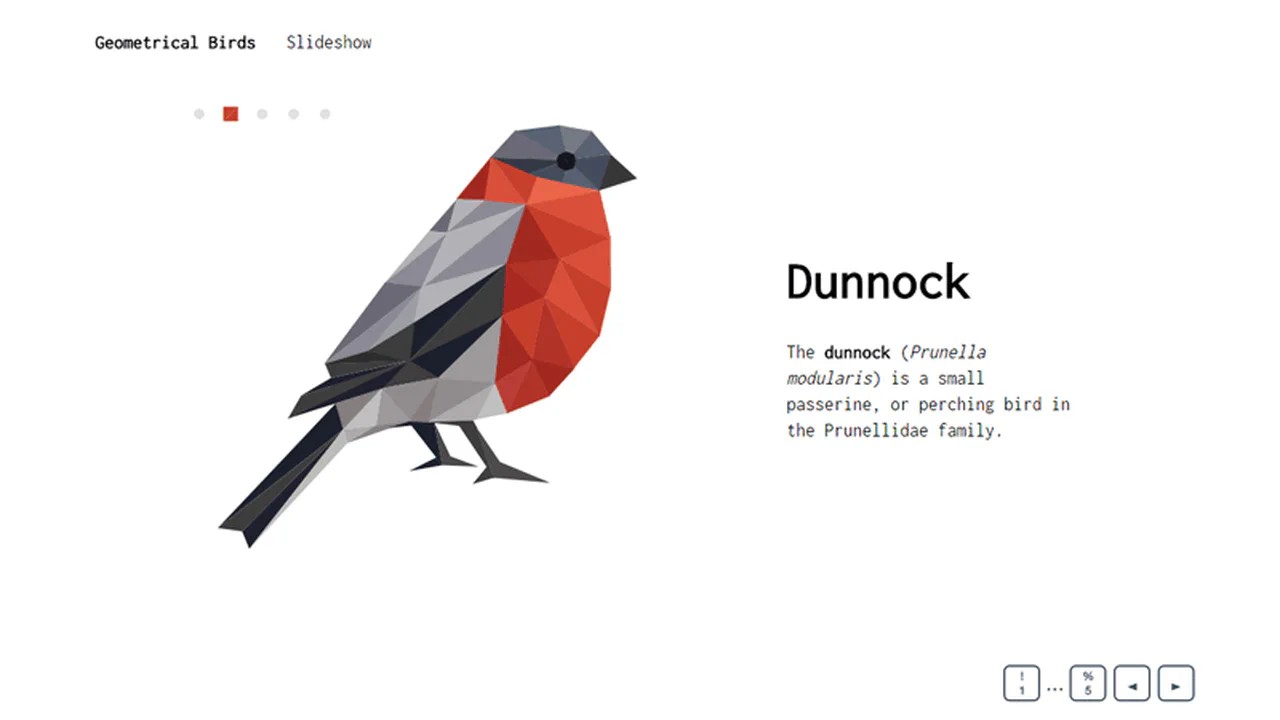
This code runs a slideshow of five stylized birds. Each bird is defined by a set of SVG paths; transitions between them use morphing and color changes via anime.js. Navigation works with keys 1–5, arrow keys, or auto‑play. Data, logic, and presentation are separated — the structure is transparent and easy to extend.

Switching between slides is handled by manipulating element widths and positions with TweenMax, ensuring smooth motion. A parallax effect links scroll position to container transformation. Navigation is straightforward: pagination dots, arrows, and auto‑play all behave as expected.

Five images, each clipped by a complex SVG path, form the slideshow. Switching slides triggers path morphing and color changes via anime.js, plus a transform on the clipping path itself. Keyboard shortcuts and auto‑advance complete the interaction. Data, logic, and presentation stay neatly separated.
The slideshow uses hidden radio buttons and CSS transforms. Selecting a tab slides the matching piece into view while its content fades in. Slide count, colors, and backgrounds are controlled by SCSS variables — adding or removing slides means updating just those values, not the markup.
A pure CSS slider with zero JavaScript. Four absolutely positioned blocks are shifted off-screen. A single opaqTransition animation moves each layer into view on a fixed 7‑second-per-slide schedule. Simple, reliable logic: keyframes toggle translateX to create a carousel effect.
The slideshow runs on a CSS animation with discrete steps (steps(1)). Each keyframe swaps in a new background image from a predefined list. Total cycle time is tied to the image count — it scales automatically. No JavaScript, just SCSS‑generated keyframes.
Three layered slideshows create a sense of depth through skew, scale, and independent animations. Each layer cycles through three images by toggling opacity on a fixed timeline — no JavaScript, just CSS keyframes. The effect relies on synchronised motion and transparency, with zero interactivity.

The slideshow uses CSS transitions triggered by toggling is‑current / is‑next / is‑prev classes, animating layers and parallax. Pagination, arrows, and autoplay are handled in a JavaScript class. Logic stays separate from presentation — adding slides requires only markup and SCSS variables updates.


Retro CSS Slideshow
A demonstration of how two independent, infinite @keyframes animations can be layered to create a complex visual sequence. One set of animation-delay manages the colored transitions, while the second controls the smooth appearance of the background images, creating a dynamic slideshow effect.
See the Pen Retro CSS Slideshow.