8 CSS Text Highlight Effects: Free Examples & Snippets
CSS text highlight effects provide elegant emphasis across paragraph segments, simulating realistic handwritten marker sweeps and custom text selections to capture readers’ attention. By introducing dynamic color transitions and organic background scaling natively, these designs visually partition dense editorial layouts into approachable, scannable nodes.
- Modern syntax highlighting and multi-range selections leverage the native CSS Custom Highlight API, applying styles via Javascript Range objects with zero DOM structural overhead.
- Dynamic handwriting markers utilize transition scaling on a background linear gradient, using background-size and position manipulation on GPU-composited layers.
- To maintain an optimal INP (Interaction to Next Paint) score, custom
::selectionand::target-textstates execute rendering directly in an isolated browser-native compositing layer.
Explore these progressive typographical highlight patterns to master the implementation of zero-overhead, highly performant editorial layouts.
Table of Contents:
Examples

Scroll-Driven Sticky Text Reveal
Scroll-Driven Sticky Text Reveal is a high-end typographic interface. It utilizes modern CSS scroll timelines to synchronize the visual state of a list with the user’s scroll position. As items move through a designated “focal point,” they transition from a dimmed state to a vibrant highlight, creating a seamless reading experience. (Requires: tweakpane)
 Chrome 115+
 Edge 115+
 Safari 26+
See the Pen Scroll-Driven Sticky Text Reveal.

Sparkling Gradient Text Highlight
Typography on the web often suffers from a lack of vitality. We treat words as static information, ignoring their potential to convey wonder. This component injects a sense of “magic” into the reading experience. By combining a kinetic gradient with a randomized particle system, we create a focal point that breathes. It is not just a highlight; it is a celebration of the message, designed to captivate the user’s peripheral vision without overwhelming the content.
Chrome 84+
Edge 84+
 Firefox 79+
Safari 14+
Firefox 79+
Safari 14+
See the Pen Sparkling Gradient Text Highlight.

Stylish Highlighter Link Hover Animation
This Highlighter Link Hover Effect provides a sophisticated micro-interaction for inline text links, moving beyond the standard static underline. By default, the link is covered by a soft, semi-transparent background fill; upon hovering, this “highlighter” block collapses into a thin underline while a directional arrow slides in from the right.
Chrome 36+
Edge 12+
Firefox 16+
Safari 9+
See the Pen Stylish Highlighter Link Hover Animation.

Pure CSS Entity Visualizer
An automated text annotation interface powered by Sass loops that visualizes semantic entity types using pseudo-elements and data attributes.
See the Pen Pure CSS Entity Visualizer.

Link Highlight Hover/Click Effect
A minimalist CSS text hover effect using linear-gradient to create a smooth highlight reveal animation. By animating the background-size property, this snippet offers a high-performance and lightweight solution for adding interactive flair to modern UI components.
See the Pen Link Highlight Hover/Click Effect.
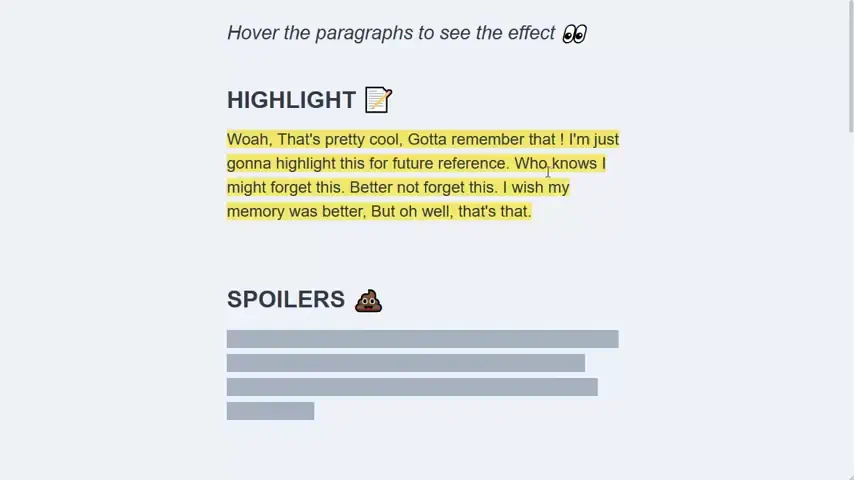
Exciting Multi-line Highlights
A comprehensive set of CSS text animations featuring 8 different hover effect variations. All effects are built by manipulating background-size and background-position properties, guaranteeing 60fps smoothness and easy integration into any web project.
See the Pen Exciting Multi-line Highlights.

CSS-Only Scroll-Driven Text Highlights
A modern scroll-triggered text highlight effect powered by the native CSS Scroll-Driven Animations API. By utilizing animation-timeline: view(), this snippet creates a fluid “marker reveal” animation as the content enters the viewport, delivering maximum frontend performance with zero JavaScript overhead.
See the Pen CSS-Only Scroll-Driven Text Highlights.
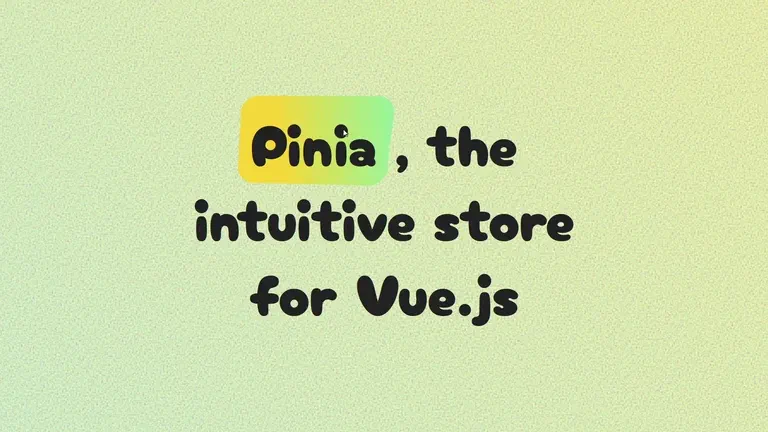
Dynamic Noise Background with Highlighted Title
A creative 3D text highlight effect built with SCSS and advanced CSS transformations like perspective and skew. This snippet incorporates an SVG noise filter for organic texture and delivers a fluid interactive experience optimized for high frontend performance and unique UI design.
See the Pen Dynamic Noise Background with Highlighted Title.