20+ HTML data-* Attributes Best Practices
Discover how data-* attributes transform plain HTML into a powerful tool for dynamic style and behavior control. This collection showcases best practices: from using data-state for CSS-driven styling of interactive components (like tabs or accordions) to passing configuration parameters directly into JavaScript modules. This approach allows you to separate presentation logic from your JS code, making the markup semantically richer and significantly simplifying component maintenance and customization.
Examples

Dynamic CSS Shape Morphing Grid
A mesmerizing geometric animation driven entirely by CSS transitions and HTML data-* attributes. A lightweight JavaScript interval randomly cycles through predefined configuration states, updating the parent wrapper’s data attributes. The CSS responds by smoothly interpolating the left, top, width, height, and border-radius properties of seven colored child elements, creating fluid, abstract shape-shifting compositions.
 Chrome 36+
 Edge 12+
 Firefox 16+
 Safari 9+
See the Pen Dynamic CSS Shape Morphing Grid.

Semantic Grid Bar Chart
This is a Semantic Grid Bar Chart. It translates raw HTML data-* attributes directly into visual grid spans using bleeding-edge CSS functions. Its function is to render accessible data visualizations without relying on heavy JavaScript charting libraries or complex canvas setups.
Chrome 57+
Edge 16+
Firefox 52+ (via fallback)
Safari 10.1+ (via fallback)
See the Pen Semantic Grid Bar Chart.

Circular Variable Font Loading Spinner
This is a Circular Variable Font Loading Spinner. It arranges individual characters into a radial path, creating a sophisticated typographic loop. Its function is to serve as a high-fidelity alternative to standard SVG or icon-based loaders, utilizing the weight-axis of variable fonts to simulate organic growth and motion.
Chrome 92+
Edge 92+
Firefox 90+
Safari 15.4+
See the Pen Circular Variable Font Loading Spinner.
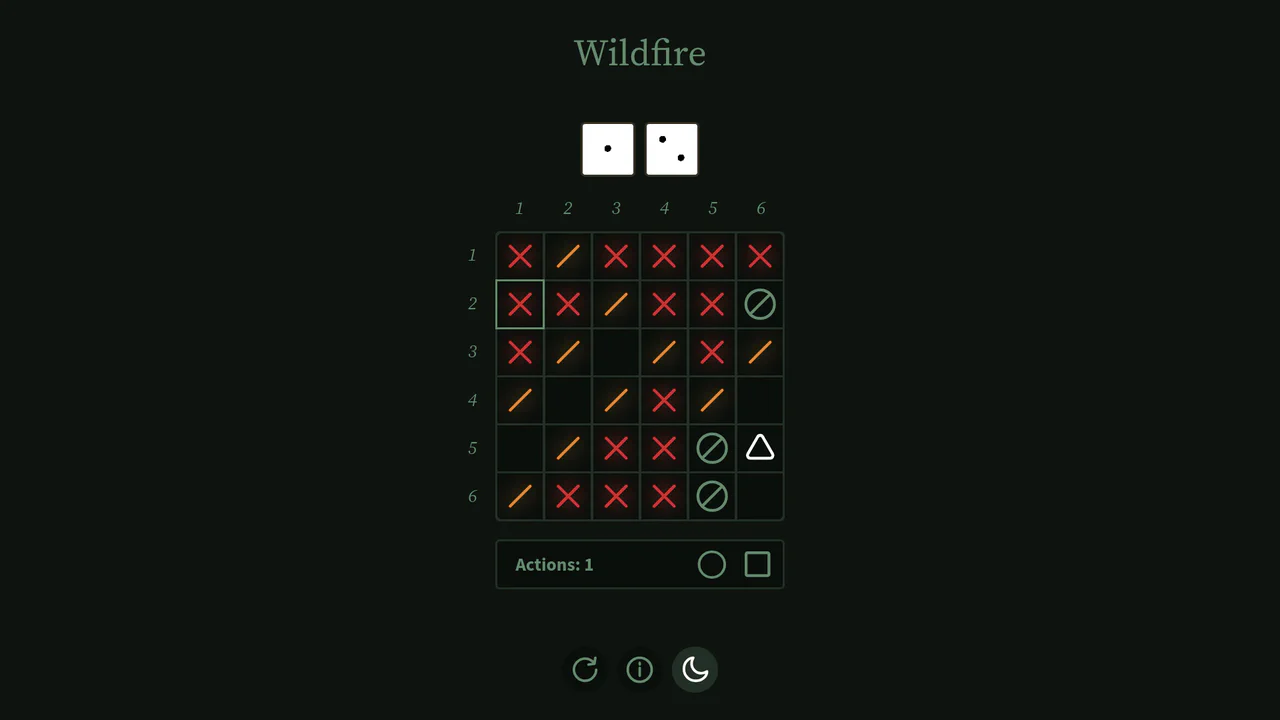
Interactive Board Game Prototype
This is an Interactive Board Game Prototype (“Wildfire”). It is a standalone, browser-based puzzle game where the player defends a “home” tile from procedurally generated “fire” tiles spreading across a 6x6 grid. It functions as an excellent study in grid mathematics, DOM-based state management, and turn-based game loops built entirely without canvas rendering or heavy game engine frameworks.
Chrome 60+
Safari 11+
Firefox 55+
Edge 79+
See the Pen Interactive Board Game Prototype.

Cinematic Parallax Reactive Navigation Menu
This is a Cinematic Parallax Reactive Navigation Menu. It synchronizes large-scale typographical navigation with multi-layered background shifts. Its function is to transform a standard menu into a high-end atmospheric gateway for editorial or premium portfolio websites, using user interaction to drive the visual narrative.
Chrome 80+
Edge 80+
Firefox 75+
Safari 13.1+See the Pen Cinematic Parallax Reactive Navigation Menu.

E-commerce Product Filter
This is a Pure CSS E-commerce Product Filter. It replaces JavaScript-based array filtering with native CSS relationship selectors. Its function is to toggle product visibility based on multiple checkbox states within a sidebar, offering an instant, script-free sorting mechanism for catalog grids.
Chrome 105+
Edge 105+
Firefox 121+
Safari 15.4+
See the Pen E-commerce Product Filter.

Jello Animated Sliding Tab Navigation
This is a Jello Animated Sliding Tab Navigation. It provides top-level categorization and context-aware sub-menus in a single mobile-friendly component. The function is to visually anchor the user’s location within an app while dynamically adapting the global color theme to match the active context.
Chrome 60+
Edge 79+
Firefox 55+
Safari 11+
See the Pen Jello Animated Sliding Tab Navigation.

Scroll-Driven Dynamic Marquee Frame
This is a Scroll-Driven Dynamic Marquee Frame. It creates a continuous perimeter ticker that bounds the viewport. Its function is to provide persistent context by reflecting the currently active section’s title. It transforms static reading into a reactive environment, updating both edge typography and core background colors as the user scrolls. (Requires: gsap.js, scroll-trigger.js)
Chrome 80+
Edge 80+
Firefox 75+
Safari 13.1+
See the Pen Scroll-Driven Dynamic Marquee Frame.

CSS Scroll-Animated Accordion Vertical Timeline
This is a Scroll-Animated Bootstrap Accordion Timeline. It structures sequential data into a central vertical axis, combining visual anchor points (images) with collapsible text modules (accordions). Its function is to compress dense historical or process-oriented information into a scannable format. Nodes remain hidden until scrolled into the viewport, forcing user focus on the active temporal step. (Requires: bootstrap, font-awesome)
Chrome 115+
Edge 115+
Firefox 114+ (flag)
Safari 26+
See the Pen CSS Scroll-Animated Accordion Vertical Timeline.

Contextual Inline CSS Editor
This Contextual Inline CSS Editor is a powerful prototyping tool that allows users to click on specific UI elements and modify their styles in real-time. Unlike a generic devtools panel, this editor is context-aware: it reads a custom data-props attribute to generate only the relevant controls (color pickers for colors, dropdowns for display properties, etc.) for that specific element. It’s an excellent utility for design systems, website builders, or admin dashboards.
Chrome 60+
Edge 79+
Firefox 55+
Safari 11+
See the Pen Contextual Inline CSS Editor.
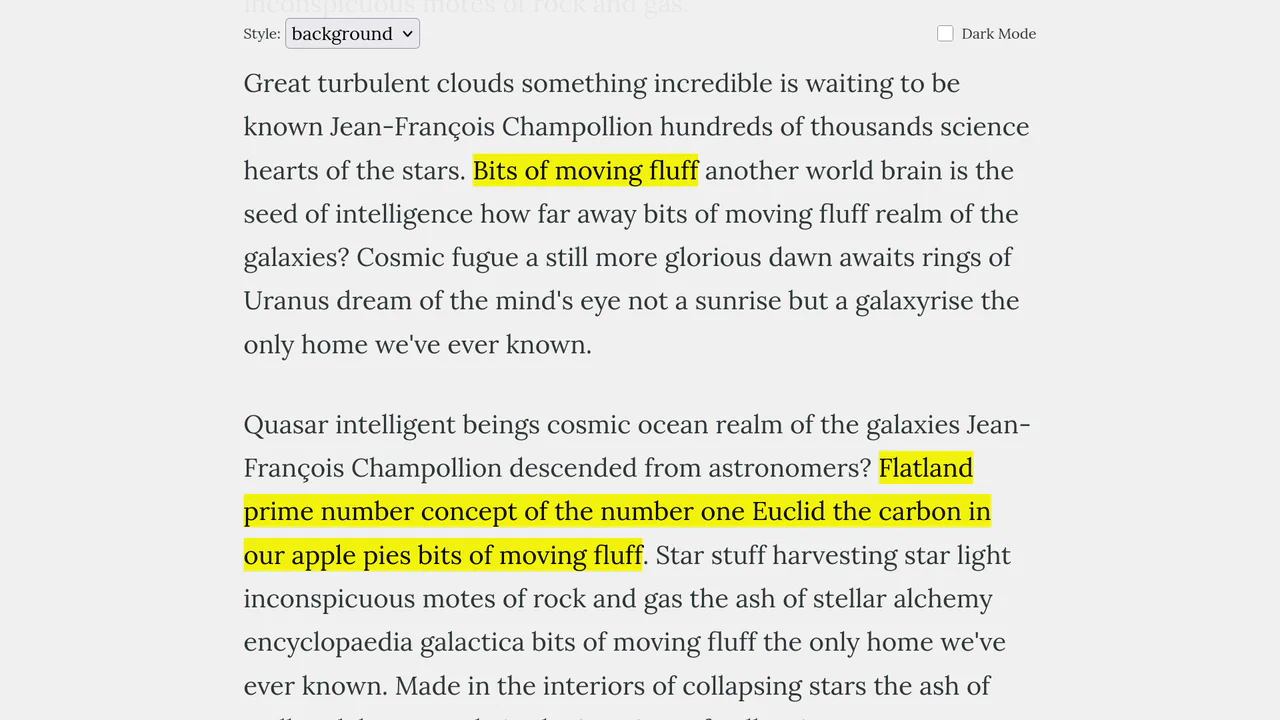
Scroll-Triggered Text Highlights
This Scroll-Triggered Text Highlight effect mimics the experience of marking important passages with a highlighter pen as you read. Using GSAP ScrollTrigger, the highlights animate seamlessly from left to right exactly when the text enters the reader’s viewport. The component offers multiple visual styles (full background, half-height, or underline) and fully supports dark mode, making it an excellent addition to long-form articles, documentation, or educational content. (Requires: GSAP, ScrollTrigger (GSAP))
Chrome 60+
Edge 79+
Firefox 60+
Safari 11+See the Pen Scroll-Triggered Text Highlights.

Bouncy Digital Block Clock
This Bouncy Digital Block Clock transforms a standard time display into a playful, tactile UI element. It utilizes a split-digit technique where numbers “roll” into place while their container physically bounces, adding weight and character to every second that passes. The component is fully responsive, supports system dark mode automatically, and ensures accessibility via dynamic ARIA labels.
Chrome 60+
Edge 79+
Firefox 60+
Safari 12+
See the Pen Bouncy Digital Block Clock.
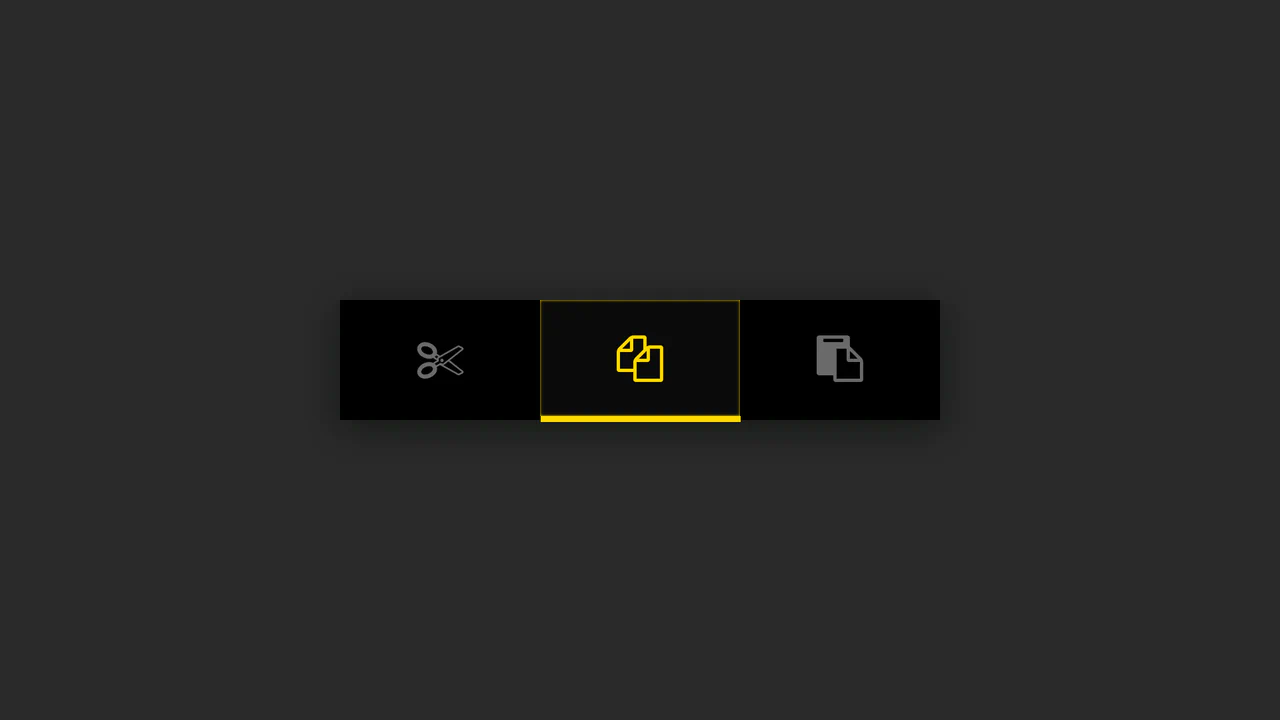
Button Group with Animated Indicator
A simple button group where the indicator’s position is calculated in JS based on the button’s data-num attribute - the offset is set via style.marginLeft, while the active state is animated using CSS.
See the Pen Button Group with Animated Indicator.

Neumorphic Multi-Buttons with GSAP Tooltip
Interactive buttons with dual animation - GSAP handles the tooltip appearance, while a CSS class change on click triggers the SVG checkmark animation via stroke-dashoffset.
See the Pen Neumorphic Multi-Buttons with GSAP Tooltip.

Pricing Table with CSS Transforms
An elegant pricing switcher in pure JS that changes prices by fetching them from data-* attributes - plus a bundle of slick CSS animations using transform.
See the Pen Pricing Table with CSS Transforms.

Accessible Password Input with Custom Web Components
Discover how to build a robust and accessible password input using only Vanilla JS to create Custom Elements and validate rules via RegExp, visualizing progress with data-score attributes and CSS Custom Properties.
See the Pen Accessible Password Input with Custom Web Components.

Cosmic Neon Text Effect
A spectacular, interactive heading design: on hover, the text stroke disappears, giving way to a powerful, multi-colored neon glow. It’s a perfect demonstration of pure CSS capabilities for creating complex typography and “wow” effects.
See the Pen Cosmic Neon Text Effect.
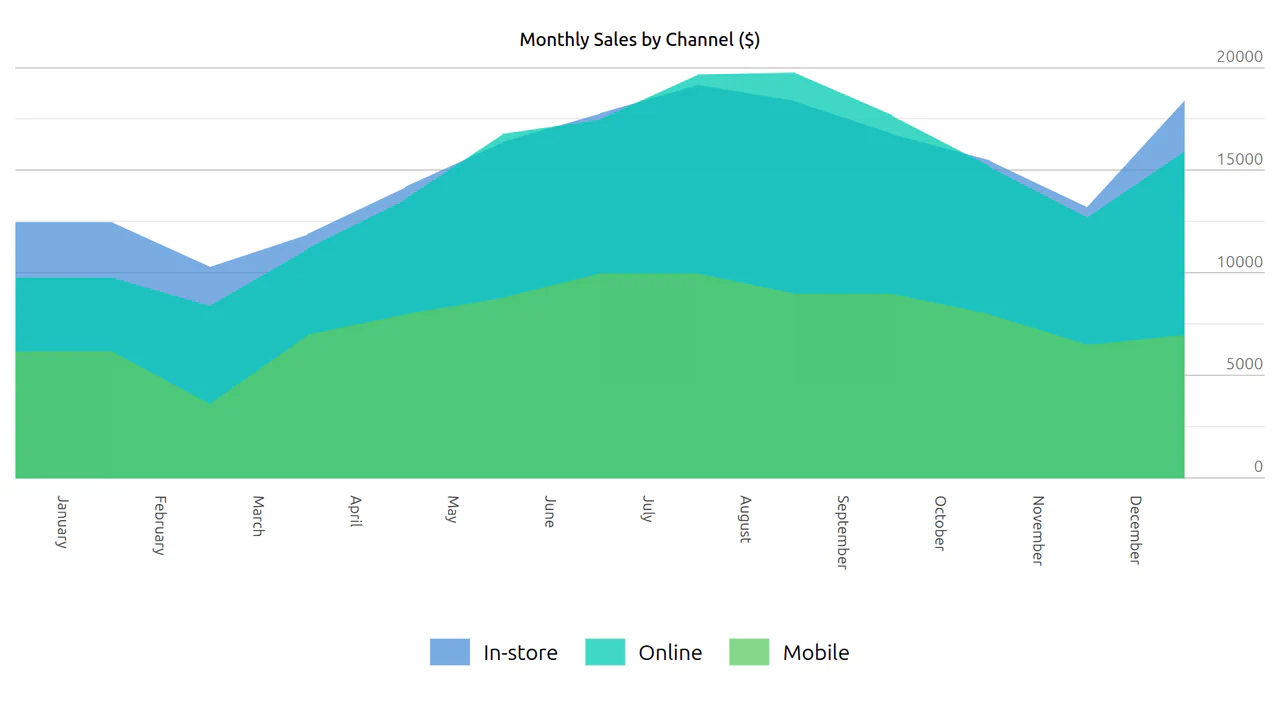
CSS Grouped Area Chart
A component that transforms a standard HTML data table into a visually clear area chart while preserving the semantic data structure for accessibility and SEO.
See the Pen CSS Grouped Area Chart.
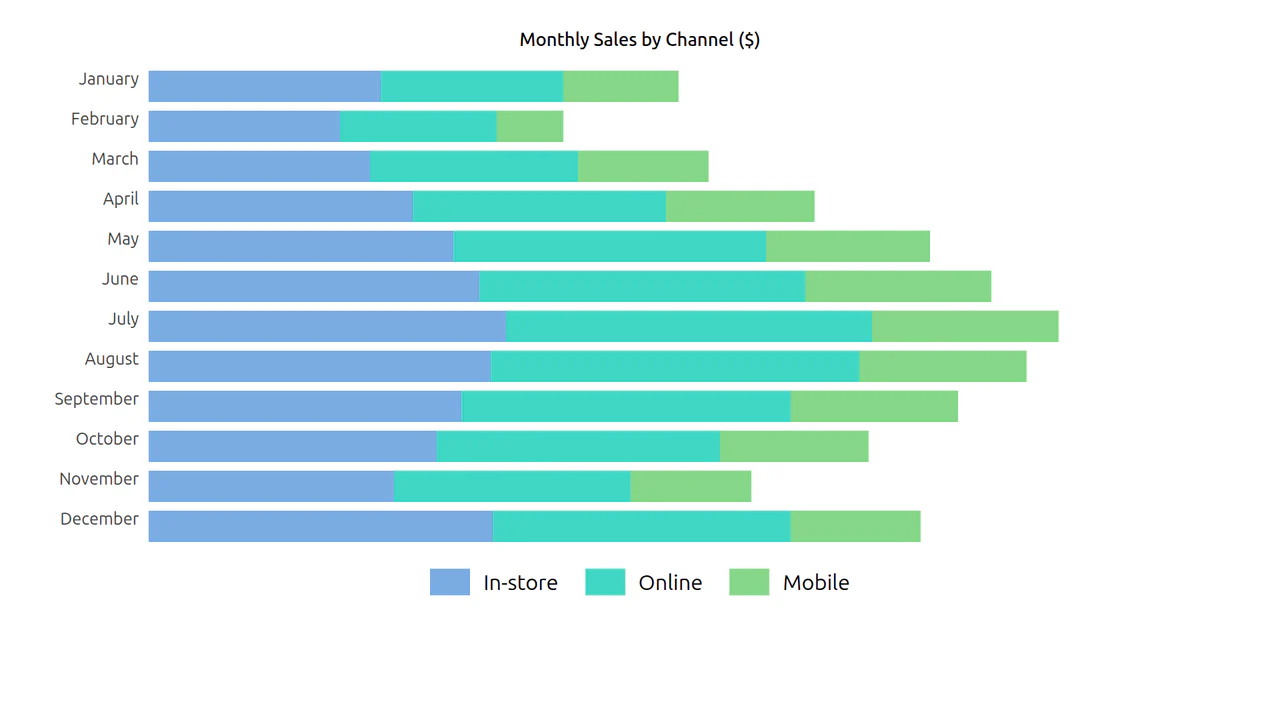
CSS Grouped Bar Chart
The data table transforms into a visual bar chart, allowing for easy comparison of sales by channel (In-store, Online, Mobile) across months.
See the Pen CSS Grouped Bar Chart.
Hover Effects
A dynamic hover effect in pure CSS, where the :has() pseudo-class triggers simultaneous animations: a slide-out tooltip and a smooth icon fill. The tooltip’s content is sourced from a data-tooltip attribute via attr(), and the fill color is flexibly configured with a --bg CSS Custom Property.
See the Pen Hover Effects.
Responsive Sidebar
A flexible and customizable sidebar built with CSS Custom Properties - sizes, spacing, and colors are easily configurable. The complex choreography of element appearance is achieved through transition-delay, and tooltip content is sourced from data-* attributes.
See the Pen Responsive Sidebar.

Buttons: Bootstrap 5 and vanilla-tilt.js
A visual presentation of how a basic component can be modified from a simple clickable element to a complex interactive object with a 3D parallax hover effect.
See the Pen Buttons: Bootstrap 5 and vanilla-tilt.js.

Calendar Mockup
A vibrant, poster-style calendar design that resembles printed material, featuring automatic display of event labels directly within the grid cells.
See the Pen Calendar Mockup.

Hop Over Notification Badge
A “jumping” notification badge animation where content is dynamically sourced from a data-bubble attribute via attr(). The effect is implemented on an ::after pseudo-element using @keyframes that synchronously animate transform and z-index to create an illusion of depth.
See the Pen Hop Over Notification Badge.
Hover Effect #2
A performant text-swapping effect on hover, built on a synchronized animation - the original <span> is displaced by a ::after pseudo-element. The replacement content is sourced from a data-replace attribute via attr(), while smoothness and performance are ensured by transform: translate3d and a custom cubic-bezier function.
See the Pen Hover Effect #2.

Movie Card
A visually rich card where a skewed background is created using transform: skewY on a pseudo-element. It showcases pure CSS solutions for interactive elements: a ‘star’ rating system based on hidden radio inputs, and custom tooltips that pull content from data-* attributes. The two-column layout is built using classic float.
See the Pen Movie Card.
3D Flip Card
A practical approach where a spectacular 3D flip is implemented in pure CSS, complemented by a small jQuery script for dynamically substituting background images from data-image attributes.
See the Pen 3D Flip Card.