5 JavaScript Sliding Menus
Add motion and clarity to your UI with these JavaScript sliding menu examples. From classic vertical sidebars to full-screen overlays and smooth push-out transitions, this collection covers a wide variety of implementations that enhance user interaction and responsive design.
Examples

Curtain Transition Navigation Menu
Curtain Transition Navigation Menu implements a lightweight state toggle via a data-nav attribute, shifting the entire <main> view up by 50% to reveal an absolutely-positioned bottom navigation drawer. Dynamic sizing features like clamp() and max() ensure responsive link layouts, while a sharp cubic-bezier(.13, .53, .38, .97) curve coordinates the simultaneous scaling and entry of image-rich navigation elements. While visually fluid, animating massive full-screen wrappers containing large Unsplash media can trigger costly rasterization overhead unless GPU compositing is actively hinted.
 Chrome 88+
 Edge 88+
 Firefox 89+
 Safari 15+
See the Pen Curtain Transition Navigation Menu.
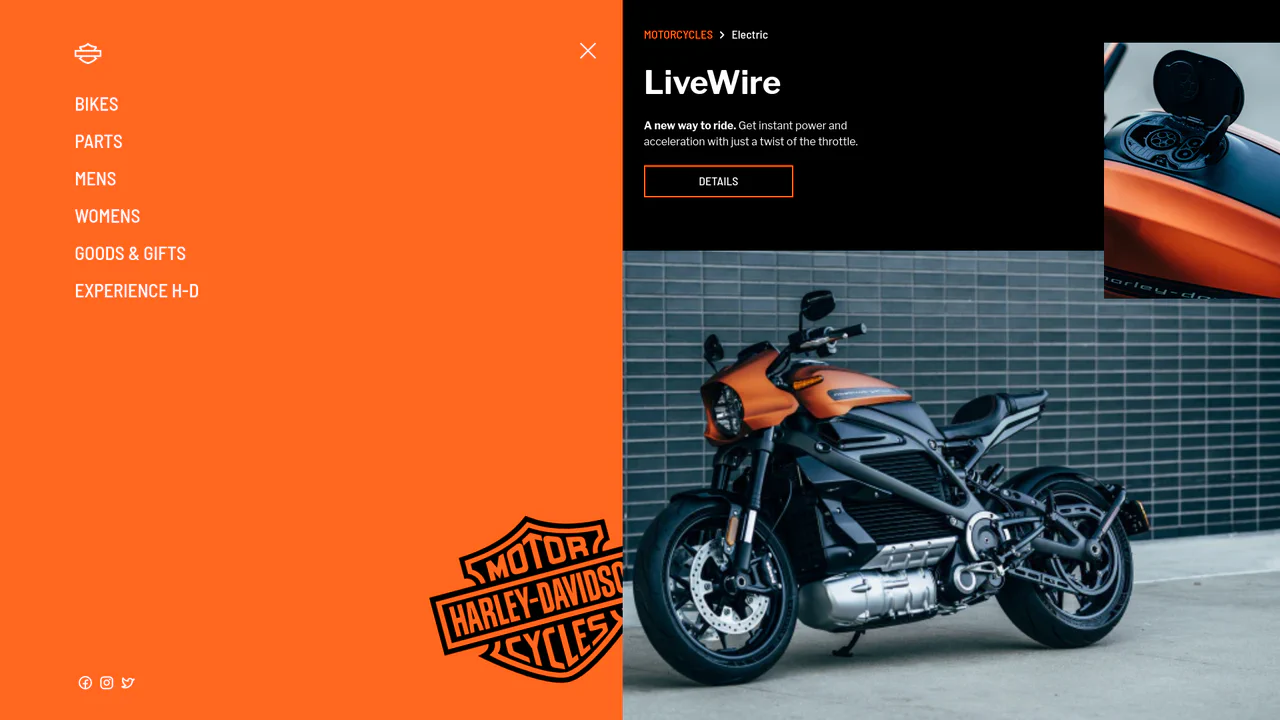
Smooth GSAP Slide-Out Sidebar Navigation
This is a full-viewport e-commerce layout featuring a GSAP-powered off-canvas sidebar navigation. It resolves the conflict between showcasing high-density visual content and maintaining a complex navigation structure. The layout hides primary links off-screen, revealing them through a staggered, hardware-accelerated slide sequence only when requested. (Requires: gsap.js, cssruleplugin.js)
Chrome 80+
Edge 80+
Firefox 75+
Safari 13+
See the Pen Smooth GSAP Slide-Out Sidebar Navigation.

Jello Animated Sliding Tab Navigation
This is a Jello Animated Sliding Tab Navigation. It provides top-level categorization and context-aware sub-menus in a single mobile-friendly component. The function is to visually anchor the user’s location within an app while dynamically adapting the global color theme to match the active context.
Chrome 60+
Edge 79+
Firefox 55+
Safari 11+
See the Pen Jello Animated Sliding Tab Navigation.

Responsive Pinned Sidebar Layout with Popover
A modern sidebar utilizing the View Transitions API for theme switching and the CSS popover attribute for efficient responsive handling, all controlled by a Tweakpane interface to live-adjust CSS variables for duration, blur, and translate effects.
See the Pen Responsive Pinned Sidebar Layout with Popover.
