10+ Javascript Staggered Animations
This collection is a complete guide to creating dynamic staggered animations. It breaks down both the fundamental pattern, where JavaScript iterates over elements assigning a unique transition-delay, and the declarative power of the GSAP library with its stagger property. Special focus is placed on performance: all animations are triggered on scroll using the Intersection Observer API, ensuring a smooth user experience. This comprehensive approach allows for creating beautiful cascading effects that are both lightweight and resource-efficient.
Examples
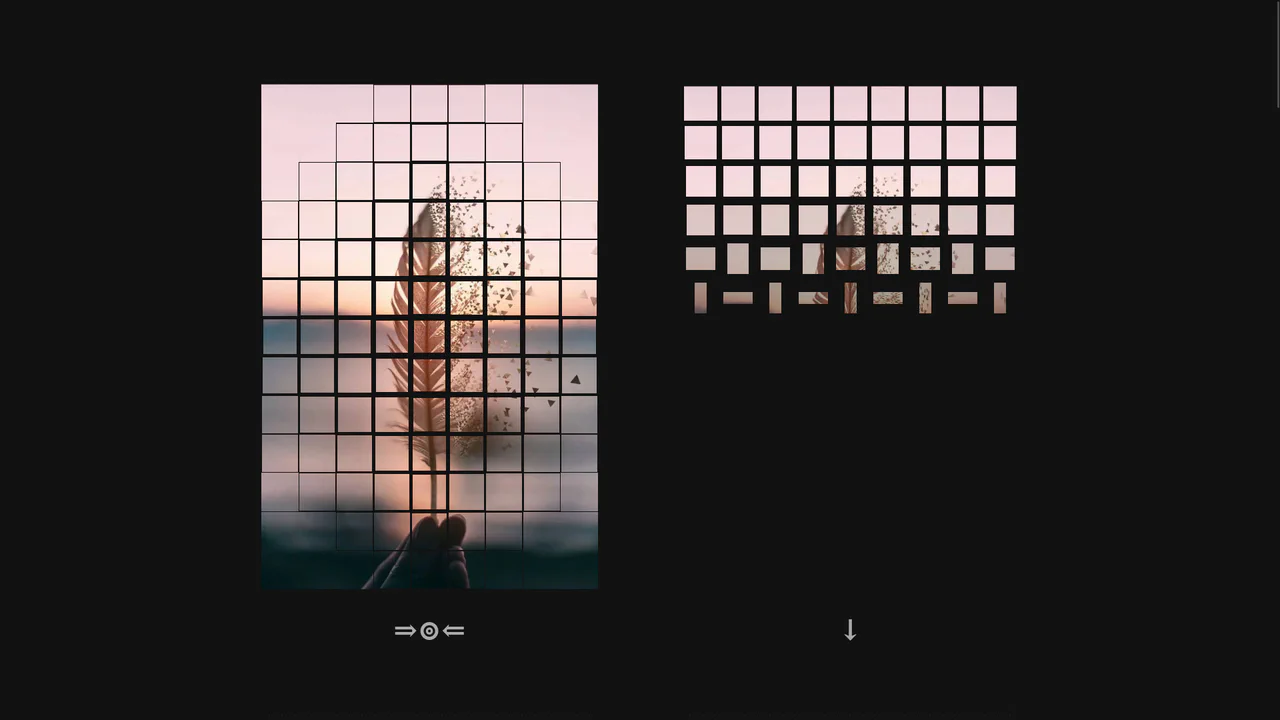
Directional 3D Flip Grid Animation
This component dynamically fragments an image container into a grid of 3D-flipping tiles upon click. The JavaScript controller parses directional formulas to assign coordinated stagger delays via CSS custom properties. Each tile performs an alternate rotation using CSS 3D transforms and keyframe animations, offering fourteen distinct wave-like patterns without requiring canvas drawing or external WebGL libraries.
 Chrome 49+
 Edge 12+
 Firefox 49+
 Safari 10+
See the Pen Directional 3D Flip Grid Animation.
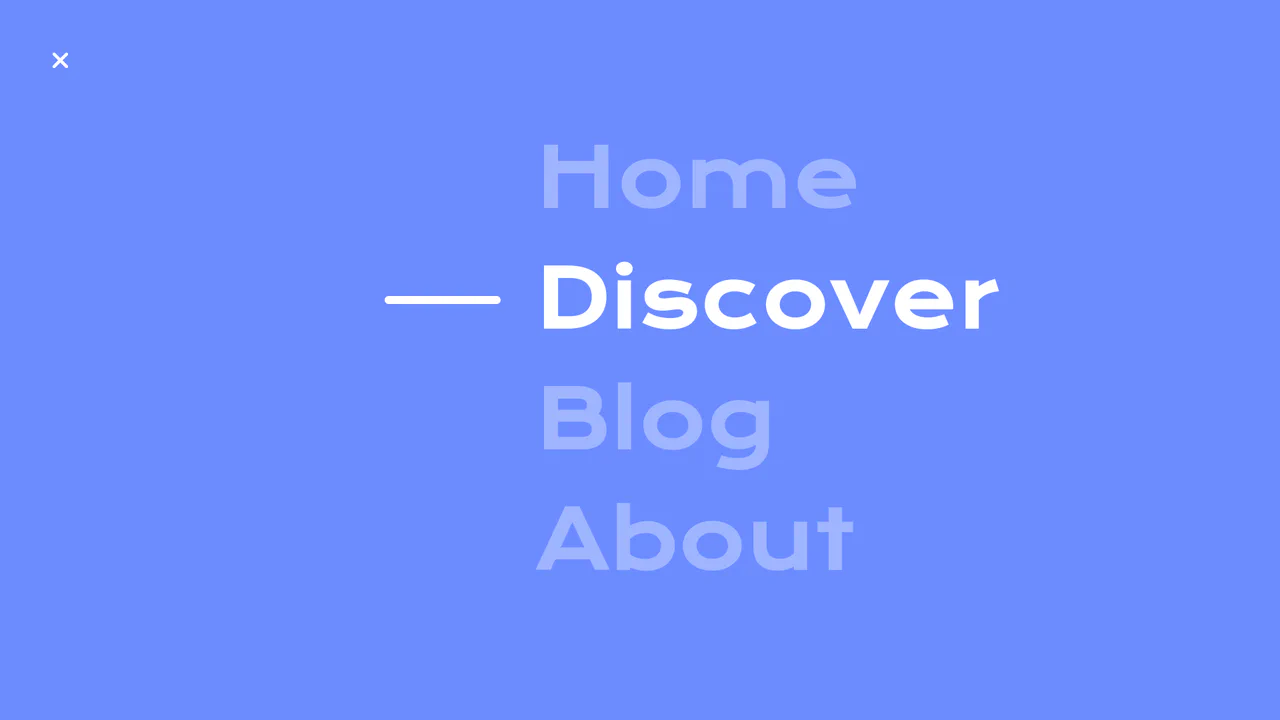
Circular Reveal Fullscreen Navigation Menu
Circular Reveal Fullscreen Navigation Menu leverages GSAP timelines to orchestrate a fluid canvas expansion by animating a CSS clip-path circle from 0px to 200%. Simultaneous staggered translations are applied to navigation links using a responsive elastic.out easing curve, creating a highly tactile, sequential entry. While the transition remains visually seamless on high-refresh-rate screens, full-screen masking with dynamic clip paths can impose substantial rendering overhead, demanding GPU-accelerated layer promotion via will-change: clip-path to maintain consistent frame rates. (Requires: gsap.js)
Chrome 112+
Edge 112+
Firefox 117+
Safari 16.5+
See the Pen Circular Reveal Fullscreen Navigation Menu.
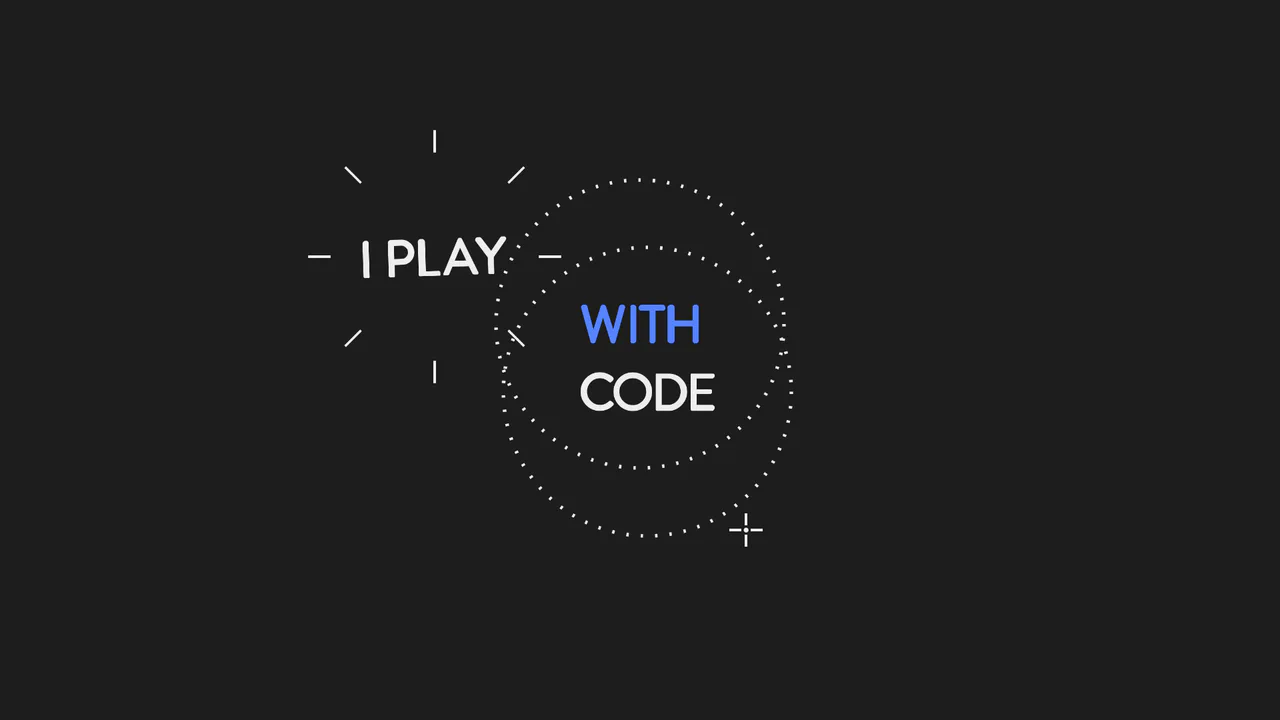
Animated SVG Lasso Selection
This is an Animated SVG Lasso Selection. It simulates a digital cursor drawing marquee selections around hidden text nodes, triggering organic pop-in animations and complex spatial transforms. Its function is to provide a highly stylized, cinematic narrative intro, demonstrating the intersection of vector graphics and timeline-based JavaScript animation. (Requires: gsap.js, tweenmax.js, morphSVG.js, drawSVGplugin.js)
Chrome 60+
Edge 79+
Firefox 55+
Safari 11+
See the Pen Animated SVG Lasso Selection.
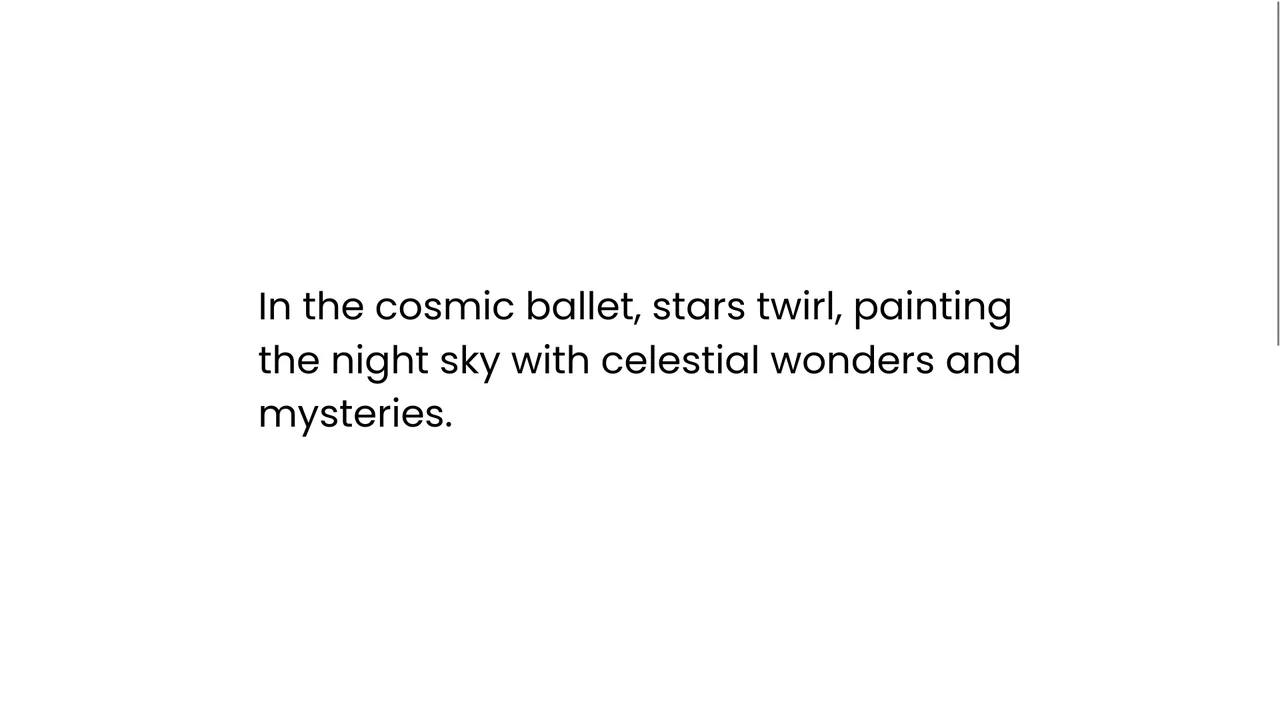
Staggered Text Scroll Reveal
This is a Staggered Text Scroll Reveal. It parses structural typography into independent animated lines. Its function is to pace the reader’s attention, transforming static paragraphs into dynamic narrative elements triggered by viewport intersection. (Requires: gsap-js, scroll-trigger-js, lenis-js, split-type)
Chrome 64+
Edge 79+
Firefox 69+
Safari 13.1+
See the Pen Staggered Text Scroll Reveal.

Stacked Card Pull-Down Navigation
This is a Stacked Card Pull-Down Navigation. It transforms a standard mobile menu into a tactile, deck-like interface that cascades down from the viewport’s top edge. Its primary function is to provide an engaging, full-screen routing experience, replacing the traditional hamburger icon with an interactive, overlapping layer system that optimizes touch targets.
Chrome 86+
Edge 86+
Firefox 85+
Safari 14+
See the Pen Stacked Card Pull-Down Navigation.

Interactive Physics-Based Dot Grid
This is an Interactive Physics-Based Dot Grid. It transforms a static matrix of circular DOM elements into a reactive, liquid-like surface. Its function is to provide an engaging, high-end visual toy or background element where the dots elastically pull toward the user’s cursor on hover, and dramatically explode outward with gravity-based physics upon clicking. (Requires: GSAP, Physics2DPlugin)
Chrome 60+
Edge 79+
Firefox 55+
Safari 11+
See the Pen Interactive Physics-Based Dot Grid.

Circular Variable Font Loading Spinner
This is a Circular Variable Font Loading Spinner. It arranges individual characters into a radial path, creating a sophisticated typographic loop. Its function is to serve as a high-fidelity alternative to standard SVG or icon-based loaders, utilizing the weight-axis of variable fonts to simulate organic growth and motion.
Chrome 92+
Edge 92+
Firefox 90+
Safari 15.4+
See the Pen Circular Variable Font Loading Spinner.

Staggered Animated Hamburger Toggle Button
The Staggered Animated Hamburger Toggle Button is a highly refined navigation trigger. It utilizes aria-pressed states to drive complex, multi-stage CSS transitions. Its function is to provide an accessible, tactile entry point for menus, using staggered motion to visually explain the transformation from a “hamburger” to a “close” icon.
Chrome 99+
Edge 99+
Firefox 97+
Safari 15.4+
See the Pen Staggered Animated Hamburger Toggle Button.

Animated Power-Up Button
This is an Animated Power-Up Button. It replaces standard interaction states with a visually rich, multi-layered animation sequence. Upon clicking, the button rotates, and a series of semi-transparent shadow layers stagger-in behind it, creating a “motion blur” or “power-up” trail effect. Its function is to provide highly stylized feedback for high-impact actions. (Requires: GSAP)
Chrome 60+
Edge 79+
Firefox 55+
Safari 11+
See the Pen Animated Power-Up Button.

Tilt Grid Content Reveal
This is a Tilt Grid Content Reveal. It transforms a standard masonry image gallery into a highly interactive, spatial experience. Its function is to provide an engaging browsing interface where hovering induces physical 3D tilt, and clicking smoothly expands the thumbnail into a full-screen presentation, completely immersing the user in the selected content. (Requires: GSAP, charming.js, masonry.js, imagesloaded.js)
Chrome 60+
Edge 79+
Firefox 55+
Safari 11+
See the Pen Tilt Grid Content Reveal.

Staggered Particle Blob Effect
This is a Staggered Particle Blob Effect. It clusters multiple DOM nodes into a cohesive, glowing entity that tracks cursor movement. Its function is to provide highly organic, procedural background interaction, replacing static canvases with an ecosystem of independent, mathematically linked elements. (Requires: AnimeJS)
Chrome 79+
Edge 79+
Firefox 71+
Safari 13+
See the Pen Staggered Particle Blob Effect.

Animated SVG Alignment Toolbar
This is an Animated SVG Alignment Toolbar. It replaces static UI states with physical motion. Its function is to provide immediate, tactile feedback for spatial arrangement settings (Top, Middle, Bottom) using native form inputs.
Chrome 60+
Edge 79+
Firefox 55+
Safari 11+See the Pen Animated SVG Alignment Toolbar.

GSAP Staggered Blinds Reveal
This GSAP Staggered Blinds Reveal creates a cinematic transition effect often used in hero sections or between major content blocks. By manipulating a series of div elements acting as “slats,” the animation mimics a zipper or venetian blinds opening. As the user scrolls, the slats slide away and rotate sequentially, revealing the content underneath (or changing the state) in a synchronized wave motion. (Requires: GSAP, GSAP ScrollTrigger)
Chrome 60+
Edge 79+
Firefox 55+
Safari 11+
See the Pen GSAP Staggered Blinds Reveal.

Staggered Panel Curtain Menu
The Staggered Panel Curtain Menu is a creative full-screen navigation concept that breaks the traditional “fade-in” mold. It uses a series of vertical panels that drop down at slightly different intervals, creating a sophisticated “curtain” reveal. This effect is achieved by combining the precision of GSAP with the flexibility of CSS clip-path and variable fonts, making it an ideal choice for high-end creative portfolios or modern agency websites. (Requires: GSAP)
Chrome 80+
Edge 80+
Firefox 75+
Safari 13.1+
See the Pen Staggered Panel Curtain Menu.

Split Staggered Reveal Cards
This Split Staggered Reveal Card creates a dramatic, cinematic effect suitable for portfolios or featured content sections. Upon interaction, the background image recedes while two semi-transparent overlays slide in to create a high-contrast backdrop. Simultaneously, the title and description animate in with a precise staggered delay - letters for the title and words for the paragraph - powered by CSS variables. (Requires: Splitting.js)
Chrome 88+
Edge 88+
Firefox 87+
Safari 14+
See the Pen Split Staggered Reveal Cards.

GSAP CustomBounce Loading Loader
This GSAP CustomBounce Loader demonstrates how to inject personality into a standard waiting state using cartoon physics. It depicts a kinetic chain reaction: a “driver” dot hits a line of idle dots, causing them to jump, squash, and stretch. This example showcases the power of GreenSock’s CustomBounce plugin to create realistic (yet stylized) material deformations. (Requires: GSAP, CustomBounce, CustomEase)
Chrome 60+
Edge 79+
Firefox 55+
Safari 11+See the Pen GSAP CustomBounce Loading Loader.

Grow Up, They Said...
An interactive 3D todo list utilizing CSS perspective and rotateY transforms to create tangible, flipping card effects. JavaScript orchestrates a staggered entrance animation via setTimeout loops, while Sass mixins manage complex transition delays for the cascading sub-menu reveal.
See the Pen Grow Up, They Said....

Rating Stars
A sophisticated star rating component featuring fractional fills implemented via CSS clip-path. The JavaScript class generates SVG stars and orchestrates a staggered entrance animation, while SCSS keyframes drive complex scale, rotate, and shockwave effects for a tactile, gamified feel.
See the Pen Rating Stars.