3 JavaScript Time Pickers
This collection is a complete guide to creating time pickers, from native to fully custom. It covers styling the native <input type="time">, as well as building modern “scrolling wheel” interfaces with scroll-snap. For fast and reliable development, integration with popular libraries like flatpickr.js is demonstrated. This is your toolkit for creating accessible, cross-browser, and intuitive time selection components.
Examples
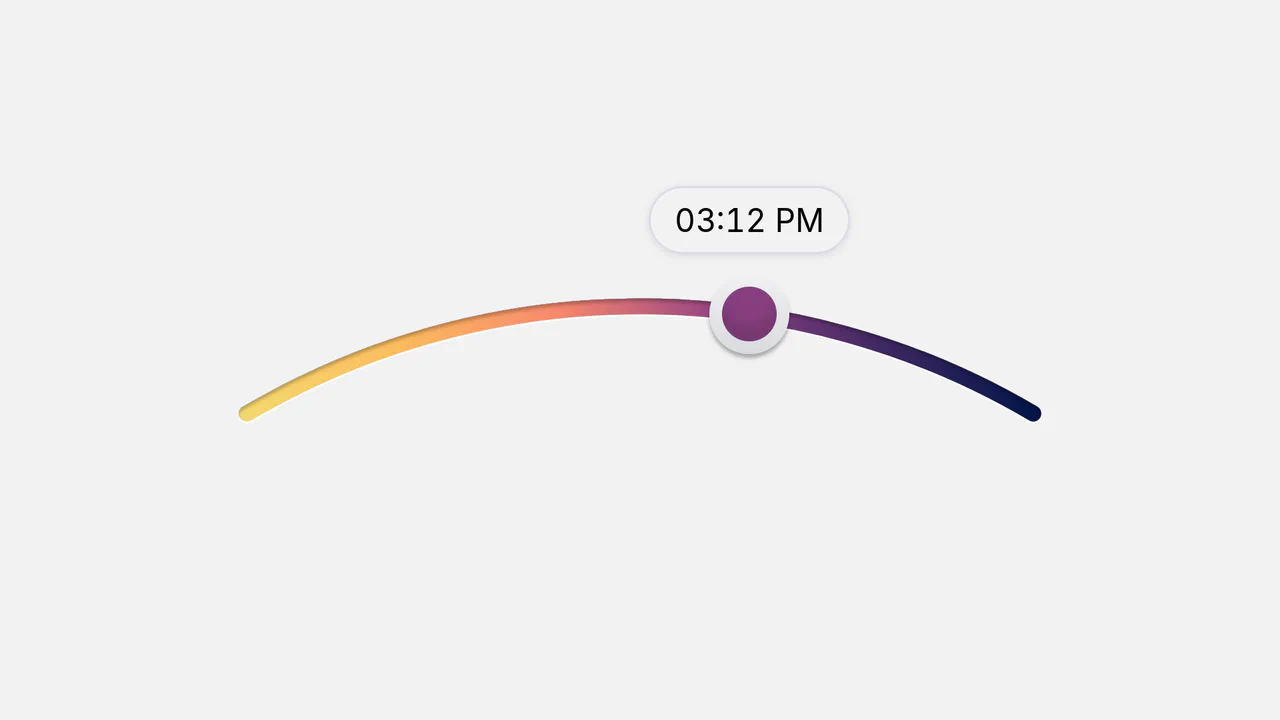
Color Interpolated SVG Arc Time Slider
This interactive time selector maps a custom sliding thumb along an arced vector path using geometric coordinate tracking. By querying getPointAtLength() in real time, the script translates drag coordinates into a 1440-minute day scale, calculating multi-stop RGB color interpolation for the slider head. Tabular numerals in the tooltip prevent text-jitter, resulting in a smooth, high-fidelity clock widget.
 Chrome 55+
 Edge 79+
 Firefox 52+
 Safari 11.1+
See the Pen Color Interpolated SVG Arc Time Slider.

3D Rotating iOS Time Picker
This 3D Rotating iOS Time Picker recreates the tactile feel of native mobile controls on the web. It features three independently rotating wheels (Hours, Minutes, Meridiem) that snap into place with satisfying physics. The component leverages the cutting-edge Scroll-driven Animations API for buttery-smooth performance on supported browsers, while seamlessly falling back to GSAP for others. The 3D perspective creates a “drum” effect where numbers fade and rotate away as they leave the center view. (Requires: GSAP, Draggable, InertiaPlugin, Tweakpane)
Chrome 115+
Edge 115+
Safari 26+
Firefox (support via GSAP Fallback)
See the Pen 3D Rotating iOS Time Picker.

Slot Picker Interaction with View Transitions
A weekly time scheduler leveraging the View Transitions API for fluid layout morphing.
See the Pen Slot Picker Interaction with View Transitions.