8 JavaScript To-Do Lists
Discover a variety of JavaScript to-do list implementations — from minimal setups to advanced task managers. These examples demonstrate core features like adding, editing, deleting, filtering, and persisting tasks using local storage or frameworks, helping you build interactive and user-friendly productivity tools.
Examples

Interactive Morphing Task List Item
This Interactive Morphing Task List Item is a high-fidelity productivity component. It combines path interpolation with auditory feedback to validate user actions. Its function is to elevate simple “to-do” lists into rewarding, tactile experiences through state-driven motion. (Requires: GSAP, MorphSVGPlugin)

See the Pen Interactive Morphing Task List Item.

List Styles 2
An interactive grid of task cards where clicking a counter button triggers a card-swap animation, revealing a hidden sub-list from behind the main item using z-index manipulation and CSS transforms.
See the Pen List Styles 2.

Little Details
A stylized nested to-do list employing advanced CSS pseudo-elements for custom markers and hover-based reveal logic for sub-tasks. JavaScript handles basic DOM manipulation for adding/removing items, while the dark UI features gradient borders and tooltip interactions.
See the Pen Little Details.
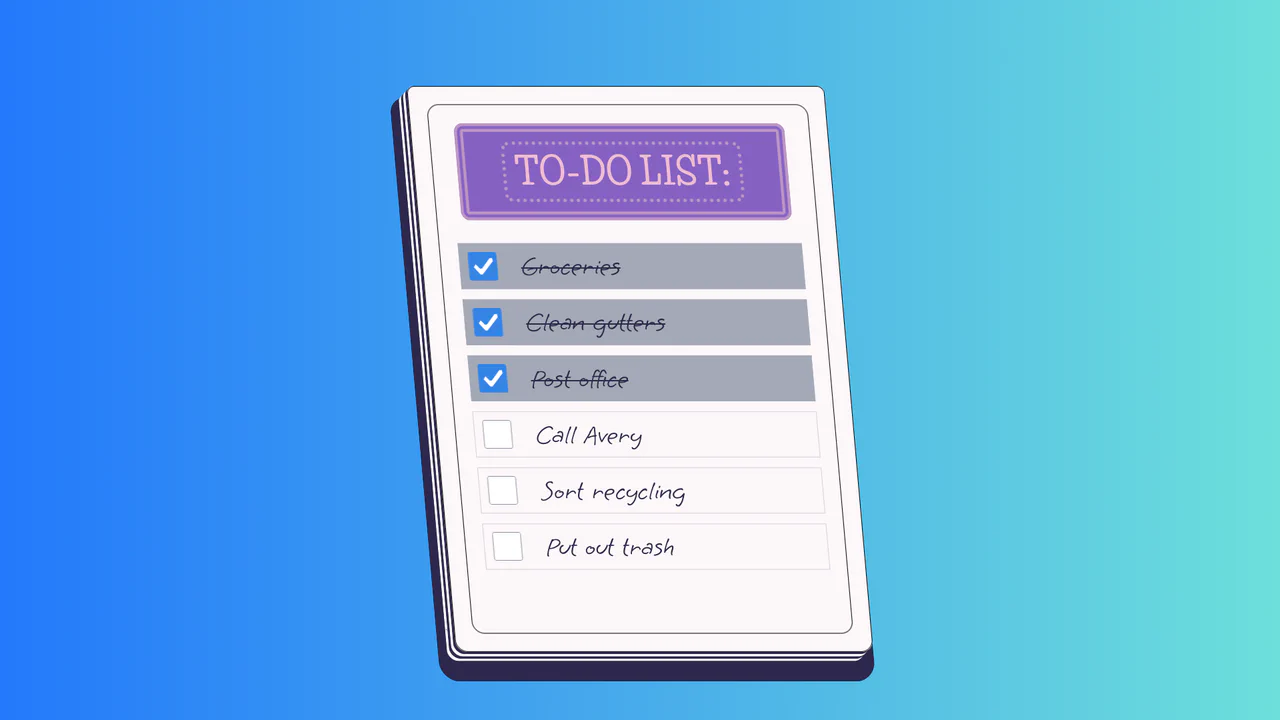
To-Do List
A stylized paper notepad To-Do list featuring a skew transformation and stack-effect shadows. Clicking checkboxes toggles a strikethrough style on handwritten list items via JavaScript class manipulation.
See the Pen To-Do List.

To-Do List App with ES6
A full-featured single-page application (SPA) with a responsive interface, filtering, and micro-interactions that runs fast and looks professional.
See the Pen To-Do List App with ES6.

Grow Up, They Said...
An interactive 3D todo list utilizing CSS perspective and rotateY transforms to create tangible, flipping card effects. JavaScript orchestrates a staggered entrance animation via setTimeout loops, while Sass mixins manage complex transition delays for the cascading sub-menu reveal.
See the Pen Grow Up, They Said....

List Styles
An aesthetically pleasing, modern todo list featuring a vibrant gradient theme and an intuitive hierarchy creation function without complex control buttons.
See the Pen List Styles.
