1 jQuery List Examples
Data structure requires dynamic organization. The jQuery List Examples in this updated collection remove the friction of manual DOM rebuilding, allowing lists to filter, search, and sort instantly. This database of code snippets serves modern UI design by offering lightweight data-manipulation solutions that remove barriers between raw information and the screen.
Technically, the logic relies on native jQuery DOM traversal and basic array-sorting algorithms. The code binds input event listeners to selectively hide or show HTML list items while maintaining strict layout stability to prevent page jumping during mutation. Transition states leverage hardware acceleration via CSS, keeping the main browser rendering thread unblocked during recalculations.
Every free demo in this library is fully responsive and cross-browser compatible. Users can instantly download the raw code or fork a specific layout on CodePen. These assets are strictly optimized for performance, delivering a fast, frictionless data-exploration experience.
Examples
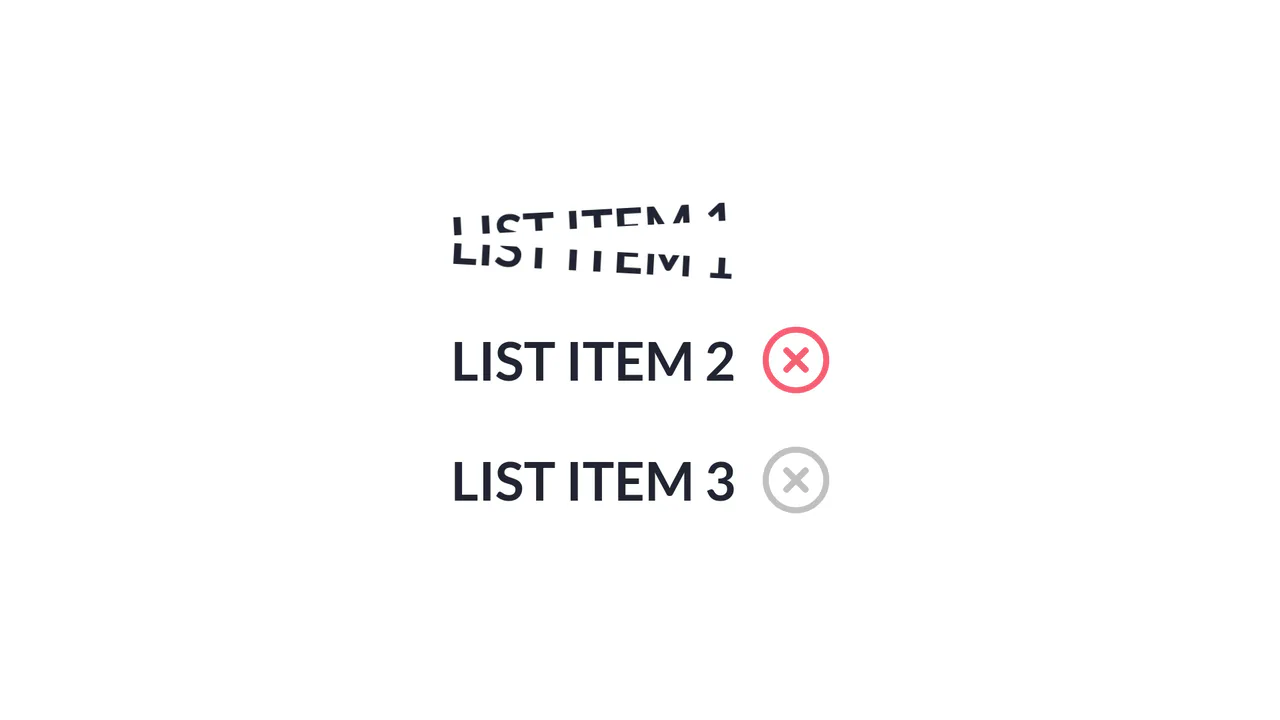
Slice Action List Item
Slice Action List Item achieves a physical text-splitting illusion by duplicating each text node into two overlapping, masked <span> blocks aligned via absolute positioning and CSS pseudo-elements. A jQuery handler triggers a sequential timeline: an SVG checkmark collapses, a dynamically generated absolute .line animates across the list item simulating a laser slice, and then both text halves rotate outward in opposite directions. The implementation provides a distinct, highly engaging micro-interaction, although triggering jQuery .animate() alongside CSS transforms can lead to inconsistent frame timing if layout changes overlap with GPU-accelerated compositing layers. (Requires: jquery.js)
 Chrome 56+
 Edge 79+
 Firefox 51+
 Safari 10.1+
See the Pen Slice Action List Item.