3 Vue Range Sliders
This collection focuses on clean and modular Vue code, showcasing how to implement advanced slider functionality without relying on heavy external libraries. Technically, the emphasis is on dynamically restricting the range based on context and optimizing event handling with debounce/throttle techniques. These demos provide a robust foundation for creating highly efficient, fully controlled, and integrated range input widgets in your Vue applications.
Examples
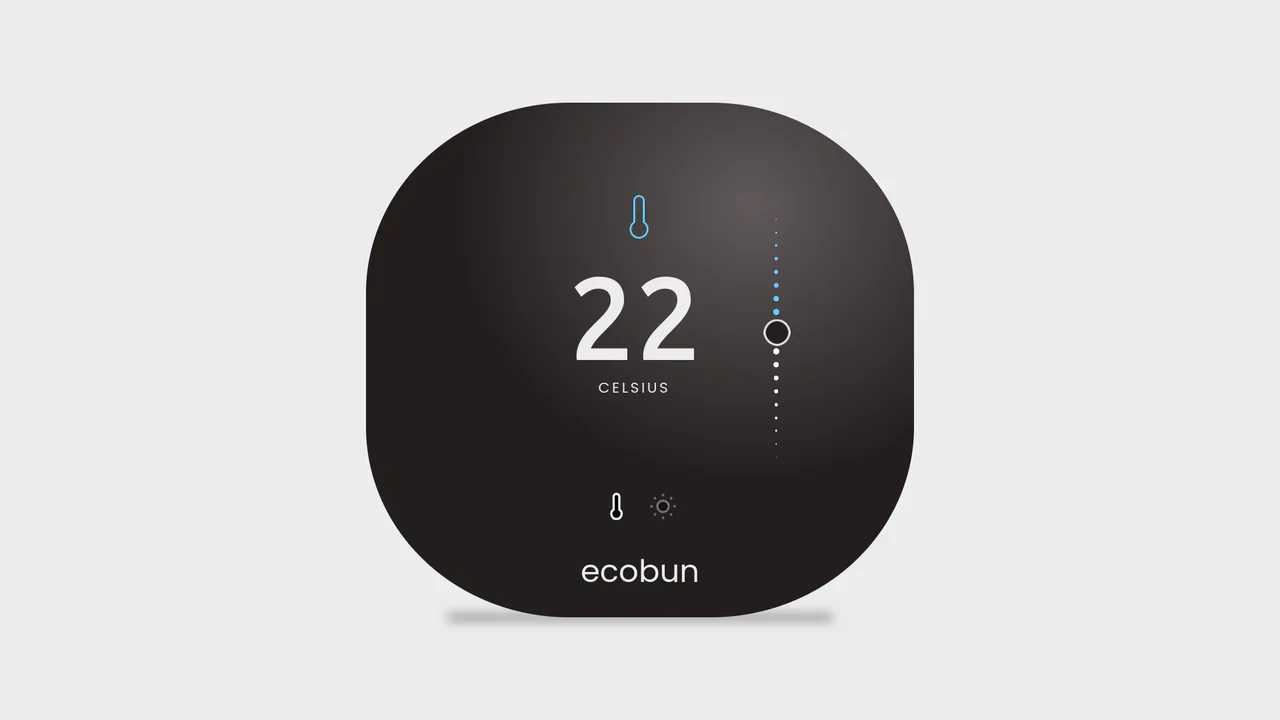
Smart Home Temperature & Light Slider
This Smart Home Temperature & Light Slider is a modern control component designed for IoT dashboards. It combines a thermostat and a dimmer switch into a single, compact interface. Users can toggle between “Temperature” (Celsius) and “Brightness” (Lumens) modes, triggering a smooth color transition from cool blue to warm amber, providing immediate visual context. (Requires: Vue.js)
 Chrome 49+
 Edge 15+
 Firefox 43+
 Safari 10+
See the Pen Smart Home Temperature & Light Slider.

Custom Accessible Vue Emoji Slider
An example of implementing an accessible custom slider: visual effects (gradient, emoji, focus) are styled via CSS, while interactivity and accessibility are ensured by a native <input type
See the Pen Custom Accessible Vue Emoji Slider.

Gradient Slider (Vue.js) Range Input
A custom range slider built with Vue.js showcases efficient state management via computed properties, dynamically calculating the percentage value and precise coordinates for all control elements.
See the Pen Gradient Slider (Vue.js) Range Input.