2 Vue Shopping Cart Examples
This collection provides a comprehensive look at building dynamic shopping carts in Vue, exploring a spectrum of state management techniques. You’ll start with fundamental patterns like the “props down, events up” data flow, where a parent component manages state locally and communicates with children via props and $emit. For more scalable solutions, the demos introduce Pinia to centralize the cart’s state, actions, and getters in a global store, eliminating prop drilling. Across all examples, you’ll see Vue’s powerful reactivity system in action, leveraging computed properties to automatically calculate totals and v-for to efficiently render cart items, providing a complete blueprint for modern e-commerce applications.
Examples
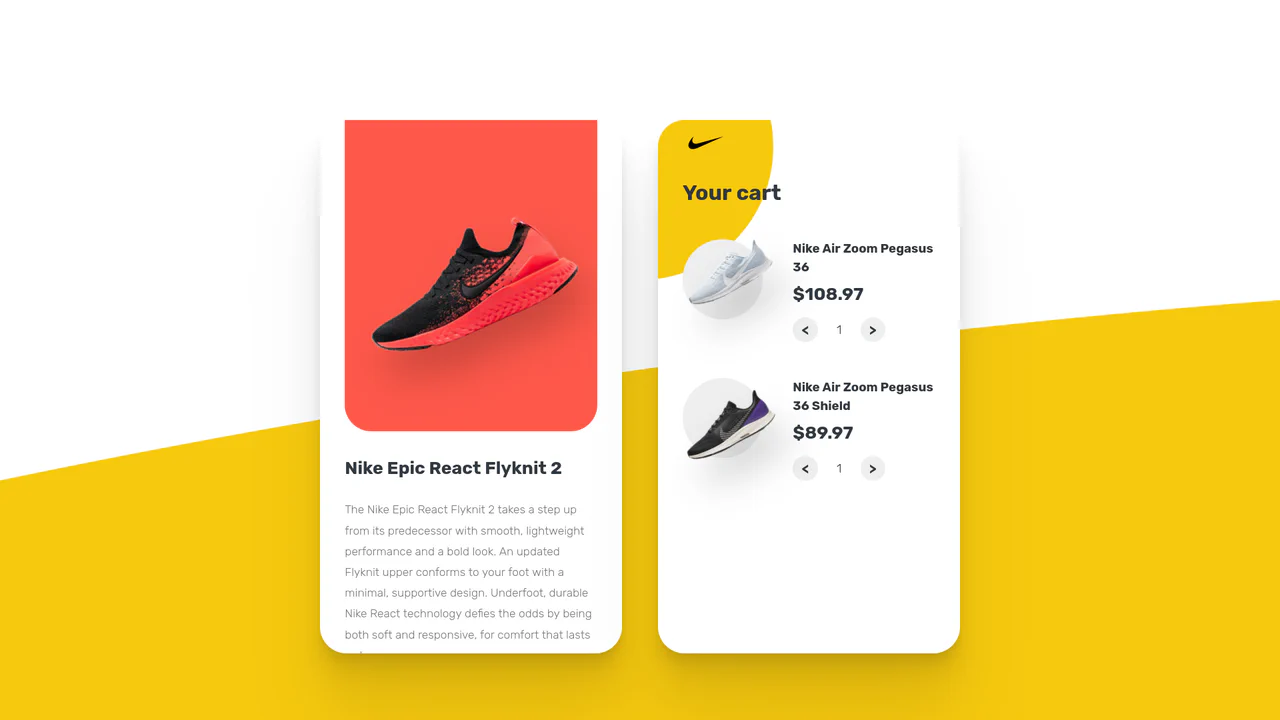
Animated Vue.js Shopping Cart
This Animated Vue Shopping Cart Concept demonstrates how to combine reactive frameworks with imperative animation libraries for a seamless e-commerce experience. The component features a split-screen layout: a product catalog on the left and a dynamic shopping cart on the right. It relies on Vue.js for state management and GSAP for high-performance micro-interactions, specifically morphing the “Add to Cart” button into a checkmark icon upon interaction. (Requires: Vue, GSAP, Axios)
 Chrome 80+
 Edge 80+
 Firefox 75+
 Safari 13.1+
See the Pen Animated Vue.js Shopping Cart.

Vue Add to Cart Animation
This Vue.js component showcases a clean implementation of the “Add to Cart” micro-interaction using reactive data and CSS animation. The main technical feature is the dynamic counter display via a CSS ::before pseudo-element and the count attribute, alongside the “Pop” effect upon update.
See the Pen Vue Add to Cart Animation.