1 Vue Text Truncation Examples: Line Clamp & Tooltips (2026)
Handling variable-length content is a persistent challenge in responsive web design. Vue Text Truncation solutions ensure that titles, descriptions, and list items fit neatly within their containers without breaking the layout. While CSS can handle basic truncation, Vue is required for smarter interactions - such as displaying “Read More” buttons or tooltips only when the text actually overflows. This collection focuses on robust methods to manage text density, providing a clean, uniform UI for data-heavy applications.
Technically, these snippets range from lightweight Vue Directives wrapping the modern line-clamp CSS property to complex components using JavaScript measurement. You will find solutions that utilize the ResizeObserver API to detect container changes in real-time, dynamically updating the truncation state. Advanced examples demonstrate how to handle HTML content safely, ensuring tags aren’t left unclosed when string manipulation is used. We also feature patterns for “Smart Tooltips” - components that automatically detect text overflow (scrollWidth > clientWidth) and bind a hover tooltip only when necessary, optimizing DOM performance.
Examples
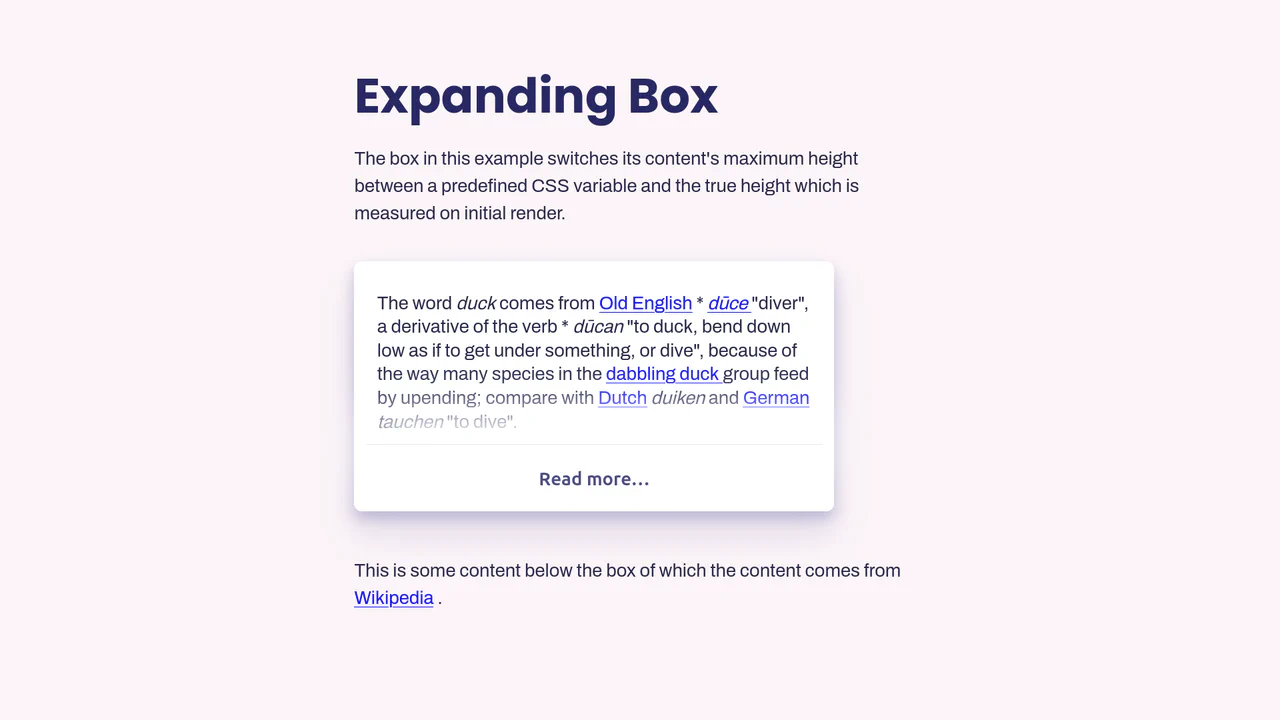
Vue.js Read More Expansion
This Vue.js Read More Expansion solves the classic “animate to height: auto” problem. It’s a robust component that truncates long text content and allows users to reveal the full article with a smooth animation. Unlike naive implementations that guess max-height, this solution calculates the exact pixel height of the content to ensure a perfect transition every time. (Requires: Vue.js)
 Chrome 49+
 Edge 15+
 Firefox 43+
 Safari 9.1+
See the Pen Vue.js Read More Expansion.